

Herdr is easy to mistake for yet another AI coding product. It is not an Agent, does not generate code, and does not ask you to replace Claude Code, Codex, OpenCode, or Pi. It sits one layer below them and manages the terminals in which they work.
That layer used to be almost invisible. A developer opened a terminal, ran a command, watched it finish, and closed the window. Coding Agents changed the lifecycle: a terminal can now hold an hour-long task, pause for approval, finish while nobody is watching, or remain attached to one repository while three other Agents work elsewhere.
The resulting problem is less about raw execution than attention. Keeping processes alive is useful, but it does not answer the question you face when returning to the desk or opening a phone: which project needs me now? Herdr turns persistent terminal state into a project-and-Agent view designed to answer that question.
The project itself is very new. GitHub records the repository as created on March 27, 2026. On August 6, creator Can Celik announced that Herdr was joining Y Combinator's Fall 2026 batch, reporting 25,000 GitHub Stars and 340,000 Downloads. By August 30, the GitHub API showed roughly 33,400 Stars, while the Herdr homepage reported more than 626,000 installs.
Fast growth does not prove that a tool belongs in every terminal, but it does show that the underlying problem is widely recognizable. To understand whether Herdr is useful, it is better to look past the numbers and examine its Server, Workspaces, Agent states, persistence model, and phone workflow.
What Is Herdr?
Herdr is an open-source terminal workspace manager and Agent runtime written in Rust. It runs where the development work lives—on a laptop, desktop, workstation, or server—and keeps real terminal processes inside a background Server.
An attached Herdr Client renders those terminals and sends input back to them. Close the Client or lose the SSH connection, and the Server can continue holding the Panes and processes. Reattach later and the same Workspace returns.
That sounds similar to a terminal multiplexer, and it is. But Herdr adds an Agent-aware layer:
- It groups terminals by project-level Workspace.
- It detects supported coding Agents inside Panes.
- It classifies Agents as
working,blocked,done,idle, orunknown. - It rolls those states up into a Sidebar, so a blocked Agent makes its Project visibly need attention.
- It offers a CLI and local Socket API for scripts, Agents, and Plugins.
- Official Integrations can report native Agent Session identity for restoration after a Server restart.
Herdr does not replace Claude Code, Codex, OpenCode, or Pi. It owns the terminals in which those programs run and adds structure around them.
Why Did Herdr Grow So Quickly?
Herdr arrived when the unit of terminal work was changing. A terminal window used to represent one immediate activity: editing a file, following a log, or running a command. A coding Agent can occupy that terminal for an hour, switch repeatedly between reading and execution, and stop halfway through because it needs one decision.
Running several Agents creates two distinct problems.
The first is persistence: the work should not disappear because a Terminal Client closed or an SSH connection dropped.
The second is attention management: even when every process survives, someone still needs to know which Agent is active, which is blocked, and which result is ready to review.
tmux and similar tools already solve much of the persistence problem. Herdr's distinctive idea is to treat coding Agents as first-class objects and turn their state into an attention queue across projects.
The project also remained easy to adopt. Herdr is one binary, licensed under Apache 2.0, and runs the existing Agent CLIs rather than introducing another proprietary coding Agent. In the YC announcement, Celik described the bundled TUI as only one Client above an open runtime, alongside community-built integrations and Plugins.
The Herdr Mental Model
The terminology is easier once each layer has one job:
| Object | What it represents |
|---|---|
| Server | Background process that owns Terminal Panes and running processes |
| Client | Attached TUI that displays and controls the Server state |
| Session | One persistent Herdr Server namespace |
| Workspace | Top-level container for one repository, task, or investigation |
| Tab | A layout within a Workspace, such as Agents, logs, server, or review |
| Pane | A real terminal containing a Shell, Agent, test, log, or service |
| Agent | A supported coding-agent process Herdr recognizes inside a Pane |
Use Workspaces before creating multiple named Sessions. One default Session can contain several project Workspaces. Named Sessions are useful only when separate Server namespaces, sockets, and runtime state are actually required.
This project-first hierarchy is what prevents five Agents from becoming five anonymous terminal windows.
How Herdr Knows Which Agent Needs You
Herdr first identifies the foreground process in a Pane. Depending on the Agent, it then uses lifecycle hooks or evaluates a recent bottom-of-screen snapshot against detection manifests.
The visible states have practical meanings:
working: the Agent is actively running.blocked: a known approval, question, or permission UI needs input.done: background work finished and has not yet been viewed.idle: the Agent is ready or finished and has already been seen.unknown: Herdr sees an Agent but cannot classify it confidently.
Herdr's blocked detection is intentionally conservative. If a new or unusual prompt does not match a known screen shape, the Agent may appear idle rather than blocked. This affects the status display; it does not cause Herdr to approve actions or send destructive input automatically.
The current official list includes Claude Code, Codex, OpenCode, Pi, GitHub Copilot CLI, Cursor Agent CLI, Devin CLI, Grok CLI, Kimi Code CLI, Qwen Code, and many others. Unsupported terminal programs still run normally, but Herdr may not give them rich Agent state.
What Actually Survives a Disconnect?
Herdr's persistence model has an important boundary.
During a normal Client Detach or SSH disconnect, the Herdr Server remains alive. Panes, shells, Agents, tests, logs, and services continue as the same operating-system processes. Running herdr again attaches a new Client to that live state.
If the Herdr Server or Host stops, the old processes are gone. Herdr can restore the saved Workspace, Tab, Pane, working directory, layout, and focus. With current official Integrations, it can also resume supported Agent conversations using their native Session IDs.
That second path is reconstruction, not process immortality. A restored Codex or Claude Code conversation is not evidence that an interrupted compiler, development server, or arbitrary shell process survived a reboot.
The development Host must therefore stay awake and powered on for live work to continue. A background runtime cannot make a sleeping laptop execute code.
How to Install Herdr
Install Herdr on the machine where the repositories and Agents run, not on the phone. On macOS or Linux:
curl -fsSL https://herdr.dev/install.sh | sh
Homebrew users can run:
brew install herdr
Then open a project and start Herdr:
cd ~/projects/your-app
herdr
Run an Agent normally inside a Pane:
claude
# or: codex
# or: opencode
# or: pi
Herdr detects supported Agents automatically. Install an official Integration when you also want lifecycle reports or native Session identity supported by that Agent:
herdr integration install claude
herdr integration install codex
herdr integration status
Detach with Ctrl+B, then q. The Server and Pane processes remain on the Host. Run herdr again to reattach. Stop the Session and its processes intentionally with herdr server stop.
How to Use Herdr on Your Phone
Herdr does not require an official mobile App or Web Dashboard. Its documented phone workflow is deliberately simple: use any SSH Client to connect to the machine where Herdr runs, then start or attach Herdr there.
ssh you@development-host
herdr
The TUI adapts to narrow screens. You can switch Workspaces, inspect Agent status, focus the Pane that needs an answer, and detach again without moving the repository or Agent process to the phone.
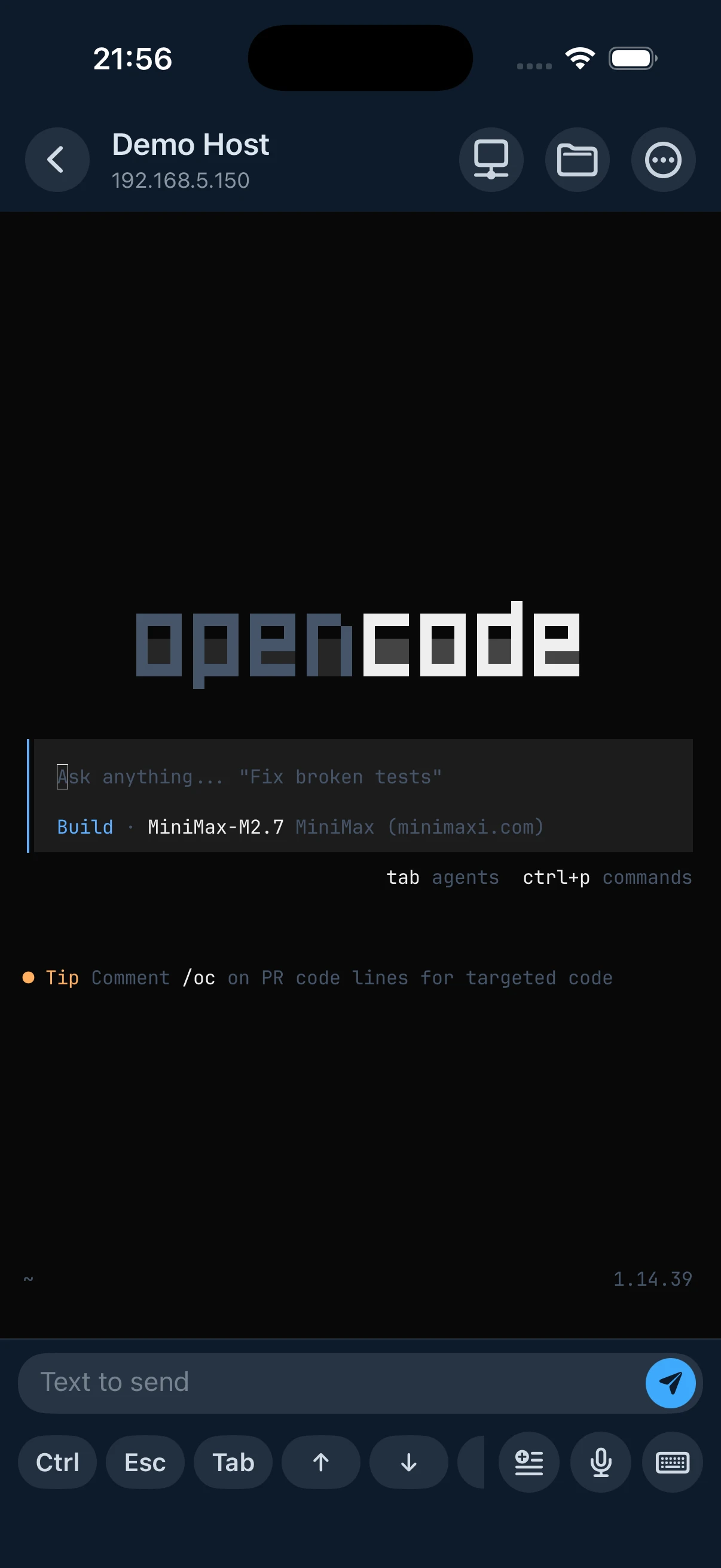
For access away from the local network, connect the phone and Host to the same Tailscale tailnet. Use the Host's Tailscale IP or MagicDNS name in the SSH Client. Tailscale supplies private reachability; normal SSH still handles terminal access and authentication in this setup.
This produces a clear path:
Phone → Tailscale → SSH → Host → Herdr Server → Agent Pane
The Tailscale guide covers the network layer, while the Shell, SSH, and tmux explainer explains why network connection and terminal persistence are separate concerns.
Where Redock Fits
Plain SSH plus herdr is enough to make the workflow function. The friction appears when the phone becomes a regular control surface for several machines and projects: selecting the right Host, remembering the repository entry point, re-entering the Herdr Session, typing long Agent prompts, and repeatedly running Git, test, build, log, or service commands.
This is the point where Redock's Herdr integration becomes useful. Save the development machine as a Host using its Tailscale address and choose Herdr for Session persistence. Redock then connects over SSH or Mosh and opens the Host through its Herdr-backed terminal path, so returning from the phone does not begin with manually reconstructing the connection and Session sequence.
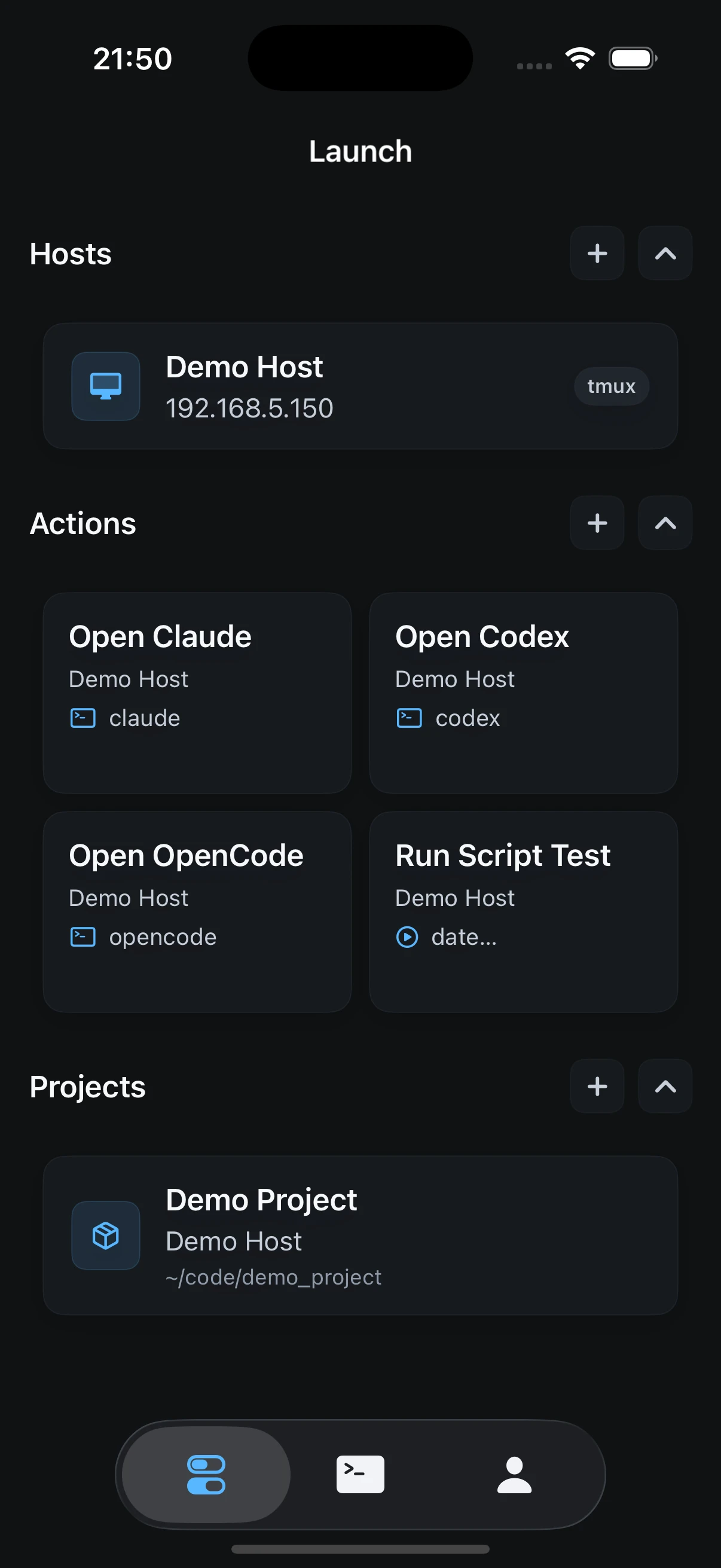
Associate that Host and repository directory with a Project, and the integration becomes more useful than a generic saved SSH command. The Project restores the development entry point, Herdr restores the Agent Workspace, and Actions keep deterministic Git, test, build, log, and service commands outside the Agent conversation. Their output can remain available as Runs after the short phone check-in ends.
The responsibilities remain separate. Herdr still owns the persistent Terminal Workspace and understands Agent state on the Host. Redock integrates that Session layer into the phone-side Host and Project workflow. Neither moves the source code into a new cloud runtime.
For the two phone-side controls, see Using Herdr Inside Redock: Chat View and Pane Switching.
A Practical Phone Workflow
A useful check-in is short:
- Open the Redock Project for the repository or Host.
- Open the Herdr-backed terminal for that Host.
- Use the responsive switch menu or Sidebar to find a
blockedordoneAgent. - Read the current Pane before sending input.
- Answer the question, approve only what you understand, or add one focused instruction.
- Detach with
Ctrl+B, thenq. - Return later to review
git diff, run tests, and inspect the result.
The phone is not replacing the desktop IDE. It is reducing the delay between an Agent needing a decision and receiving one.
Herdr vs tmux
Herdr and tmux overlap, but the best choice depends on the problem.
| Choose | When it fits |
|---|---|
| tmux | You want a mature, standard, portable multiplexer for a few persistent terminals |
| Herdr | You run several coding Agents and need project Workspaces, visible Agent state, direct Agent attach, APIs, Plugins, and native Session restore |
Herdr can run inside tmux as the outer environment, but do not put Codex or Claude Code inside another tmux Session within a Herdr Pane if you expect Agent detection. Herdr will see tmux as the foreground process rather than the Agent behind it.
For a focused tmux phone setup, see How to Run Claude Code on Phone. For a concrete Herdr setup with Codex, see How to Run Codex on Phone with Herdr.
What Herdr Does Not Do
Herdr does not provide compute, host your repositories, replace an SSH Server, or keep a powered-off machine running. It does not remove the need for Git isolation when multiple Agents edit in parallel. Separate Branches or Worktrees are still the safer boundary.
Its Agent status is useful but not infallible. Screen-based detection can lag behind an Agent UI change, and blocked only appears when Herdr recognizes a known prompt shape. Always inspect the actual Pane before approving a command.
Security also remains your responsibility. Limit SSH access, prefer keys, use Tailscale policies deliberately, protect the Host account, and treat optional stored Pane history as sensitive because terminal output can contain prompts, tokens, paths, and command results.
FAQ
What is Herdr?
Herdr is an open-source Terminal Workspace Manager and Agent runtime. Its background Server owns real terminal processes while attached Clients display and control them.
Is Herdr a replacement for tmux?
It can replace tmux in an Agent-heavy workflow, but tmux remains simpler and more standard for a small number of persistent terminals. Herdr adds Workspaces, Agent detection, status rollups, APIs, Plugins, and native Agent restore.
Does Herdr have a mobile app?
Herdr does not require one. Connect with an iPhone or Android SSH Client and run herdr on the development Host; its TUI adapts to the phone screen.
Does Herdr keep Agents running after SSH disconnects?
Yes, if the Host and Herdr Server remain running. A Host or Server stop ends the old processes, after which layout and supported Agent conversations may be restored separately.
Which coding Agents does Herdr support?
Herdr detects many common Agents, including Claude Code, Codex, OpenCode, Pi, Copilot CLI, Cursor Agent CLI, and Grok CLI. Other terminal programs still run without rich status.
Take Your Agent Control Room with You
Herdr makes multiple Agent terminals persistent and visible on the Host. Redock integrates Herdr as a Session-persistence option inside its SSH/Mosh Host and Project workflow, with Actions for the repeatable checks around Agent work. Together they let the development machine keep running while the phone handles the moments that need attention.