

Claude Code already works great on a laptop, but lately I have wanted to use it in places where opening a laptop simply is not practical.
The obvious solution is Claude Code's Remote Control. It lets you start a session on your computer and continue interacting with it from your phone. For quick tasks, that works well. But I wanted something more flexible: full access to my development machine, the freedom to start multiple Claude Code sessions, inspect Git changes, run tests, check logs, restart services, or switch to another CLI coding agent without returning to my computer.
So I kept Claude Code where my repository and toolchain already live—on my Mac or server—and made the entire development environment available from my phone.
The setup is surprisingly simple. Tailscale gives the phone a private route to the machine, SSH provides terminal access, and tmux keeps Claude Code sessions alive when I close the app, lose signal, or switch networks.
In practice, I can start a Claude Code task at my desk, leave the house, and reconnect from my phone later to review its changes, run a test, or start another session. I do not need to expose SSH to the public internet or keep a laptop open in front of me.
The rest of this guide builds that workflow one layer at a time.
The Setup at a Glance
Everything that follows fits into one connection path:
Phone → SSH → development machine → tmux → Claude Code
Tailscale makes the development machine privately reachable from the phone. SSH opens the remote terminal, and tmux returns you to the same Claude Code Session each time you connect. Once Claude Code is working on an always-on Mac, Linux PC, or VPS, the remaining setup is simply enabling SSH, joining both devices to the same tailnet, saving the Host in your phone's SSH client, and starting the Session inside tmux.
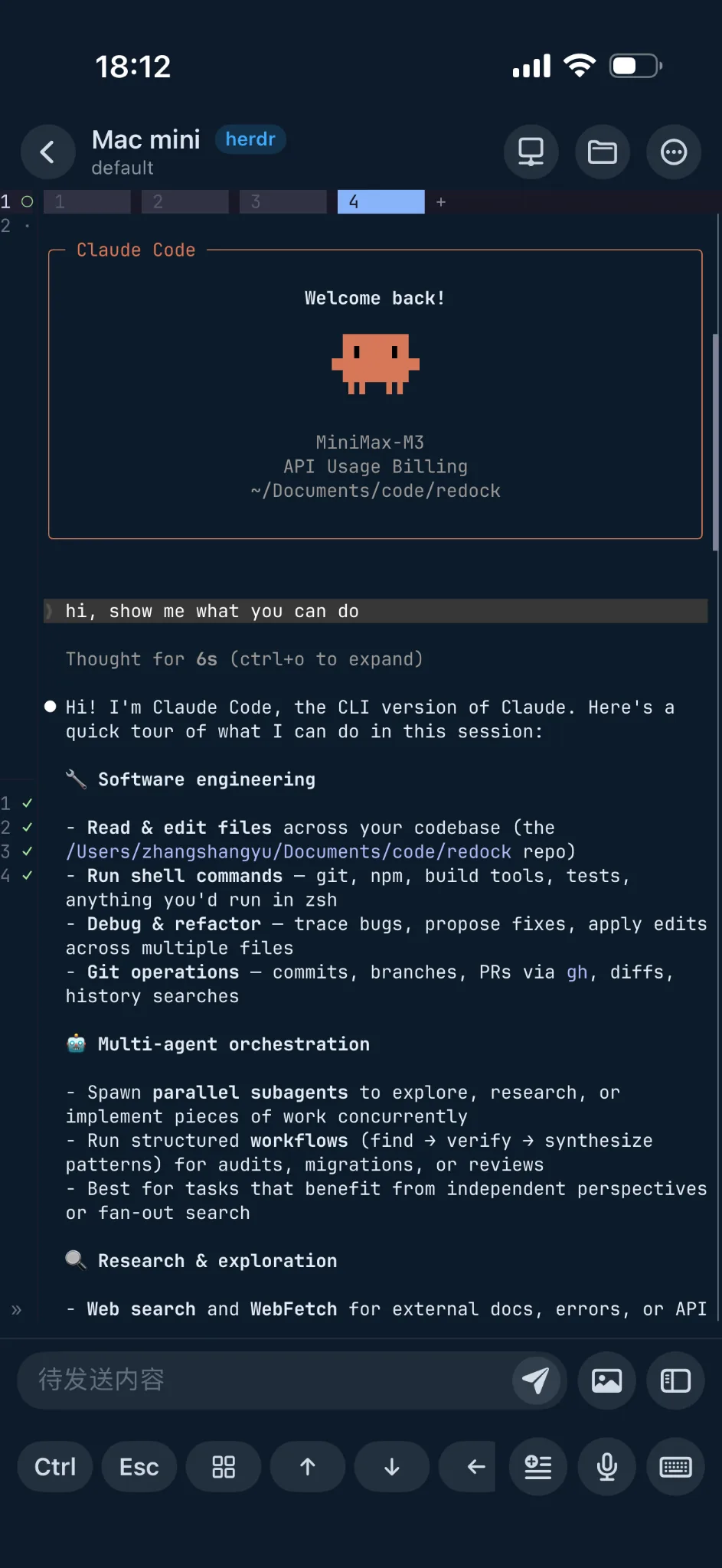
Can You Run Claude Code on a Phone?
Yes, but “on a phone” needs one important qualification. The phone is the control endpoint; the host is the execution environment.
Claude Code reads files, edits the repository, runs Git, invokes compilers, starts tests, and uses project credentials on the host. The phone only displays the remote terminal and sends your input. That is why an ordinary iPhone or Android device is enough: it is not compiling the application or reproducing your desktop toolchain.
This also means the workflow is nearly identical on iPhone and Android. Install Tailscale and a capable SSH client on the phone, then connect to the same host. Redock supports this project-oriented workflow with SSH or Mosh connections, tmux session management, and controls designed for coding agents.
The host must stay powered on and awake. tmux survives a phone disconnect; it cannot keep a sleeping laptop or powered-off server running.
How the SSH + Tailscale + tmux Setup Works
Each layer has one job:
| Component | Responsibility |
|---|---|
| Claude Code | Reads and changes the project, runs commands, and performs the coding task on the host |
| SSH | Provides the encrypted remote shell and authenticates the phone to the host |
| Tailscale | Makes the phone and host privately reachable across Wi-Fi, cellular, and other networks |
| tmux | Keeps the host-side terminal session available after the SSH client leaves |
| Redock | Connects over SSH/Mosh and organizes Hosts, Projects, Actions, and tmux-backed agent sessions |
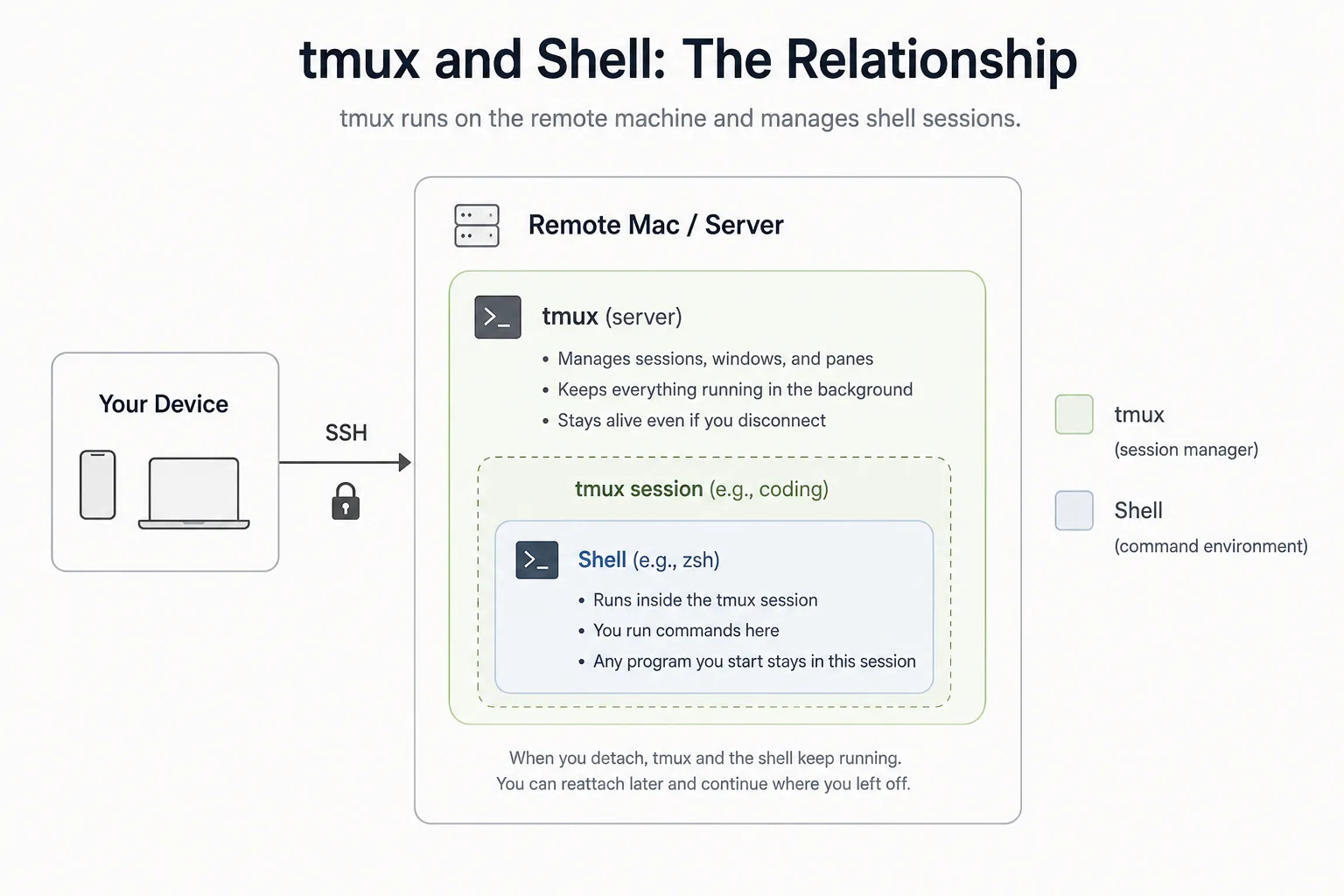
This article deliberately uses Tailscale as the network layer plus standard SSH authentication. Tailscale SSH is a separate option in which Tailscale also manages SSH authentication and authorization. It can be useful, but it is not required for this setup, and traditional SSH over a tailnet works with existing SSH keys and server configuration.
Prepare Your Mac, Linux PC, or VPS
Install and sign in to Claude Code on the host before touching the phone. Open the real project directory and confirm the command works:
cd ~/projects/your-app
claude --version
Then run claude once and complete any login, workspace-trust, or project setup prompts locally. The remote phone session will use this same user account, home directory, configuration, repository, and toolchain.
This is not a Claude Code installation guide. If claude --version fails, use Anthropic's current Claude Code setup documentation and finish host installation first.
For a laptop host, review sleep settings before relying on a long task. An always-on desktop, Mac mini, home server, or VPS is less likely to suspend while you are away.
Enable SSH
On a Mac, open System Settings → General → Sharing, turn on Remote Login, and allow access only for the account you intend to use. macOS shows the username and SSH address in that panel.
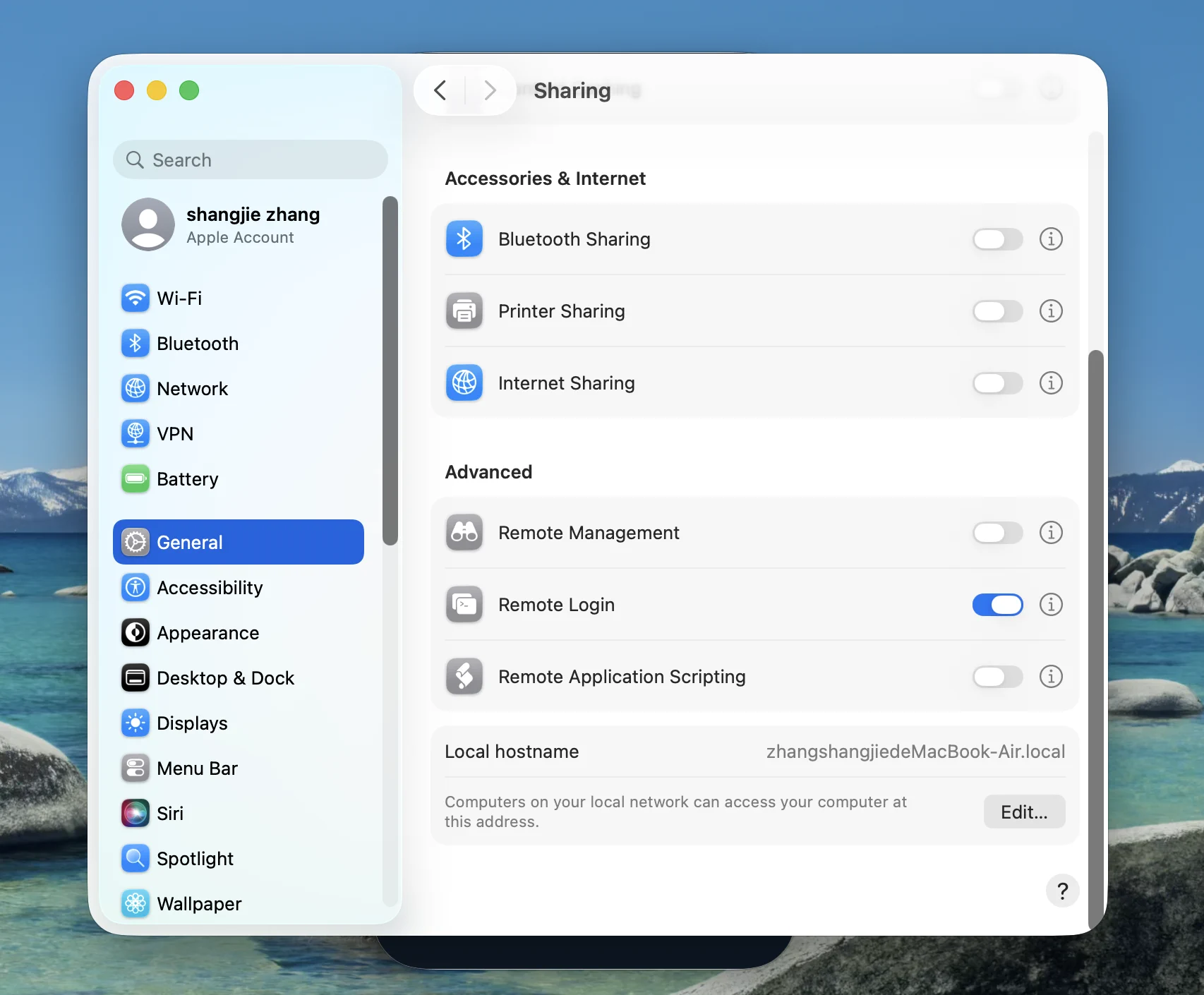
On Linux, install and enable the OpenSSH server using your distribution's package and service commands. For example, Debian and Ubuntu commonly use the openssh-server package and the ssh systemd service. Confirm that sshd is listening before testing from the phone.
Prefer an SSH key over a reusable password, restrict the permitted user, and do not expose port 22 directly to the public internet just to make mobile access work. The Shell, SSH, and tmux guide explains these layers, while the Redock quick-start guide covers the complete first connection.
Use Tailscale to Reach Your Computer from Anywhere
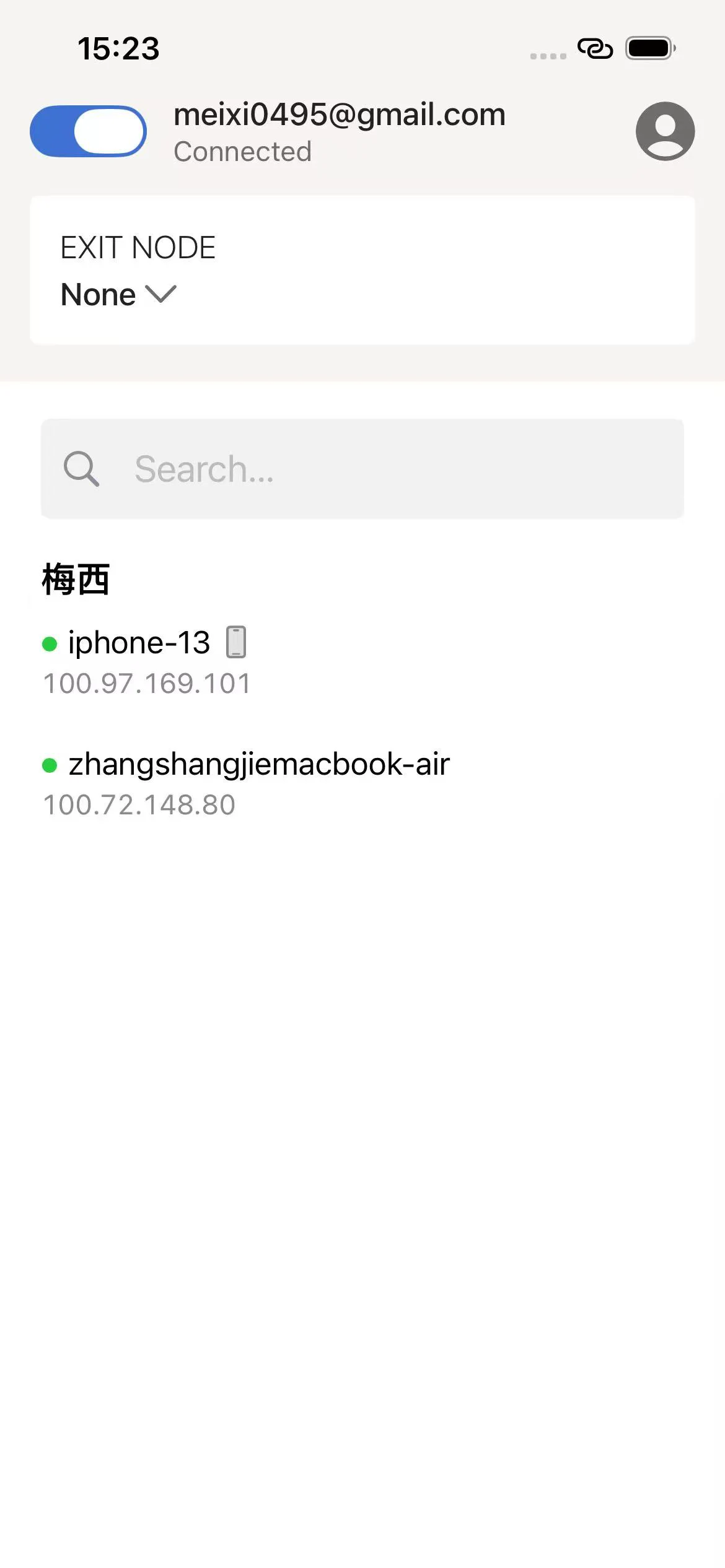
Install Tailscale on both the development host and the iPhone or Android phone. Sign in to the same tailnet and verify that both devices appear online.
You can address the host with either:
- Its stable Tailscale IP, usually in the
100.x.y.zrange. - Its MagicDNS machine name, such as
dev-macor a fulldev-mac.example.ts.netname.
Tailscale provides reachability; the OpenSSH server still listens on the host, and your SSH key or password still authenticates the login. This separation is useful because the same standard SSH setup works on your LAN and over Tailscale without opening a public inbound port.
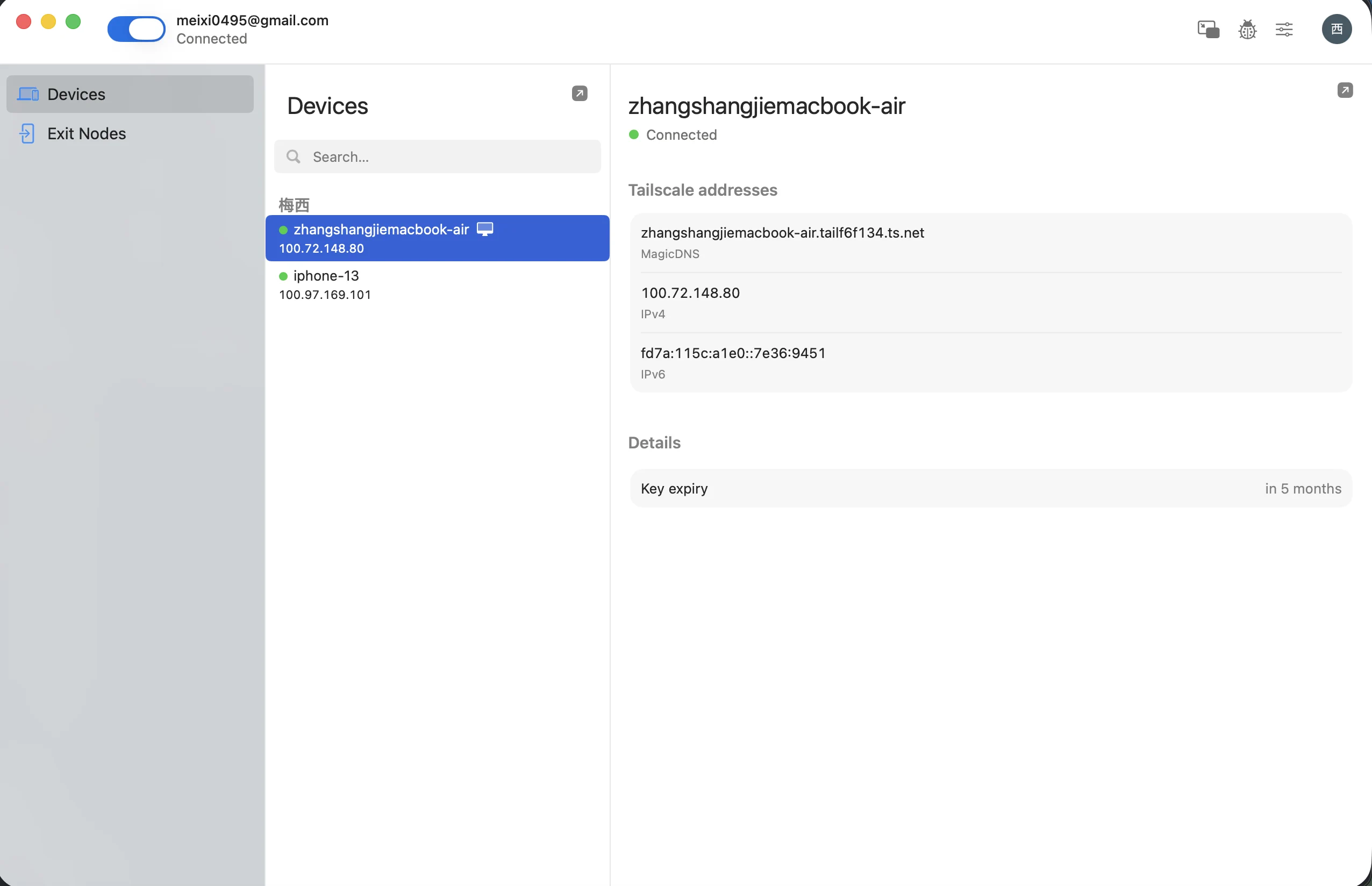
Test this while the phone is on cellular data, not only while both devices share Wi-Fi. The Tailscale guide covers device enrollment, addresses, and connection checks in more detail.
Connect from Your Phone
At this point, any capable SSH client can connect. The friction appears after the first few sessions: on a phone, repeatedly choosing the right Host, changing into the repository, finding the correct tmux Session, and retyping agent or test commands is more work than the quick check-in should require.
This is where Redock becomes useful. It keeps the connection as a Host, associates that Host and working directory with a Project, and provides a direct path back to the relevant terminal or tmux Session. The underlying setup is still standard SSH and tmux on your own machine; Redock removes the repetitive navigation around it.
Add a new Host in Redock with these values:
| Field | Value |
|---|---|
| Host | Tailscale IP or MagicDNS name |
| Port | 22 |
| Username | Your macOS or Linux account name |
| Authentication | SSH private key, or password if the host permits it |
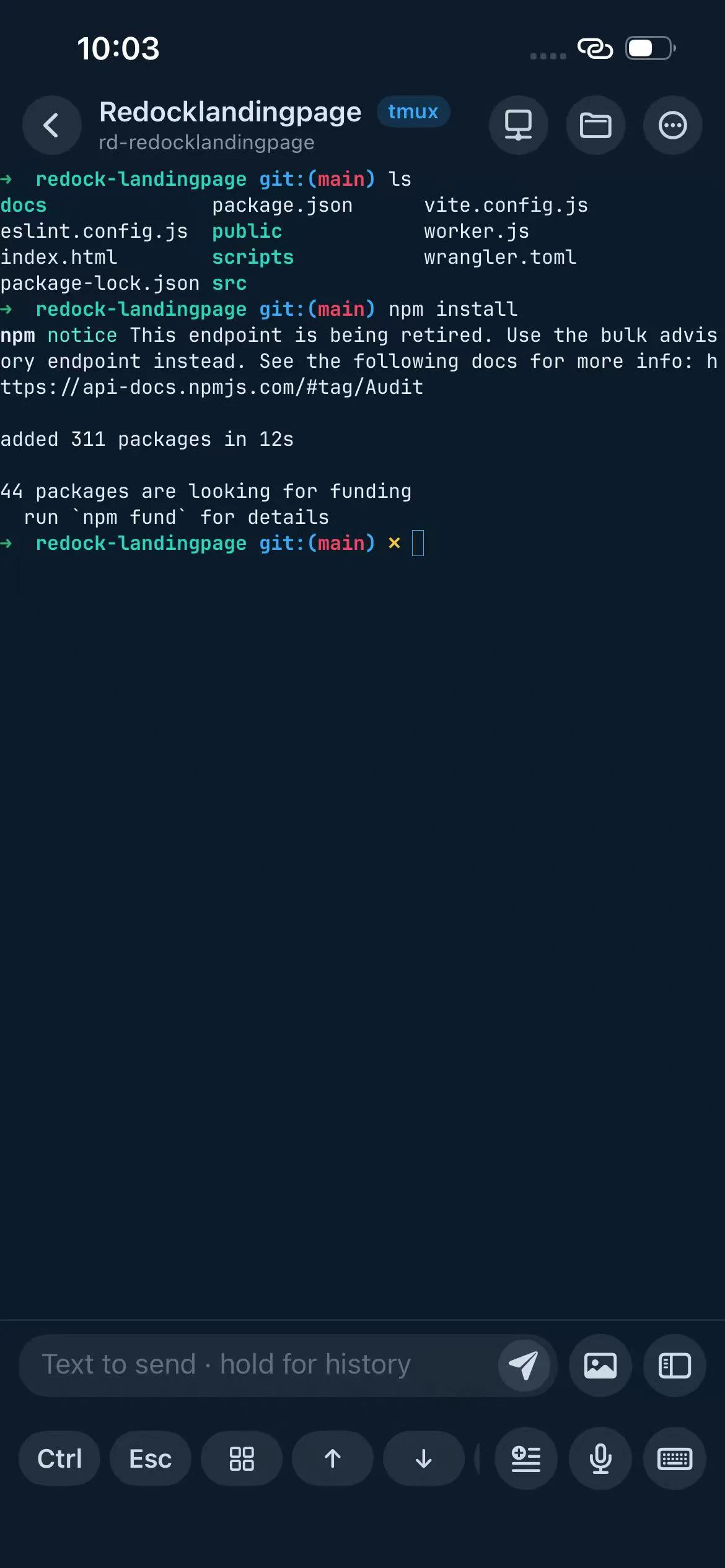
Connect and run a harmless command such as pwd or hostname. If that works, open the repository and verify claude --version again. A command that works in a local desktop terminal but not through SSH often indicates that your executable is configured only in an interactive shell startup file or that the SSH session has a different PATH.
Keep Claude Code Running with tmux
Install tmux on the host, not the phone:
# macOS with Homebrew
brew install tmux

# Debian or Ubuntu
sudo apt install tmux
From the SSH session, enter the project, create a named tmux session, and start Claude Code:
cd ~/projects/your-app
tmux new -s claude
claude
You can now leave the app or let the SSH connection drop. To return later:
tmux attach -t claude
For a command that creates the session when absent and attaches when it already exists, use:
tmux new -As claude
The official tmux guide describes this detach-and-reattach model: tmux and programs inside it remain managed by the host-side tmux server while outside terminals come and go. Redock can expose the same standard sessions through create, attach, manage, and restore flows, so you do not need to remember every session command on a phone. See the focused tmux guide for setup details.
A Practical Claude Code Workflow from Your Phone
A useful mobile session is short and deliberate. Instead of rebuilding the path from machine to repository to Session every time, the Redock workflow looks like this:
- Open the Redock Project for the repository.
- Attach to the named Claude Code tmux session.
- Send a bounded task with constraints and a verification command.
- Put the phone away while Claude Code works on the host.
- Reconnect to the same tmux session when the agent needs input or finishes.
- Review
git diffandgit statusrather than accepting the result from the final message alone. - Run the relevant test, lint, or build command.
- Commit and push only after the changes and verification output look correct.
The phone is an AI coding control surface, not a tiny laptop. It is excellent for assigning a task, answering a question, inspecting a focused diff, checking logs, or triggering a known test. Large manual edits and broad code review still benefit from a desktop display.
For a wider multi-agent architecture, see the Remote AI Coding Stack. For mobile terminal app tradeoffs, see Best Mobile Terminal Apps for AI Coding.
Why Use SSH When Claude Code Has Remote Control?
Anthropic now provides a Code tab in the Claude mobile app and Remote Control for continuing a Claude Code session from iOS, Android, or a browser. Remote Control keeps execution and filesystem access on your machine while synchronizing the Claude Code conversation through Anthropic's service. It is the simplest first-party option when Claude Code itself is the whole task.
SSH solves a broader problem:
| Choose | Best when you need |
|---|---|
| Claude Remote Control | A focused Claude Code conversation, permissions, progress, files, and first-party mobile UI |
| SSH + Tailscale + tmux | A complete remote shell with Git, logs, tests, builds, deploys, arbitrary TUIs, and direct session control |
The SSH workflow is agent-independent. The same terminal can run Claude Code, Codex, OpenCode, a database console, a test watcher, or deployment tooling. It also keeps network access within your tailnet and uses your existing SSH authentication. Remote Control instead requires a supported Claude account and sends synchronized session data through Anthropic's service.
These approaches are not mutually exclusive. Anthropic explicitly recommends tmux or screen when a Remote Control process runs on a remote machine reached through SSH. You can run Claude Code in tmux, enable Remote Control for its focused mobile UI, and still keep SSH available for the rest of the development environment.
Troubleshooting
claude: command not found
Run which claude locally and over SSH. If only the SSH session fails, fix the remote login shell's PATH; do not install a second copy on the phone. Confirm with claude --version as the same host user.
SSH connection refused
Remote Login or sshd is off, the host is asleep, the address is wrong, or a firewall is rejecting port 22. First test SSH on the same LAN, then test the Tailscale address.
Tailscale is connected but SSH is unavailable
Confirm both devices are in the intended tailnet, the host allows incoming Tailscale connections, tailnet access controls permit phone-to-host port 22 traffic, and OpenSSH is listening. Tailscale reachability does not automatically enable the host's SSH server.
Claude Code disappears after disconnect
It was probably started in the ordinary SSH terminal rather than inside tmux, or the tmux session exited. Run tmux ls, attach to the named session, and start Claude Code there. A host restart or sleep can also stop the process.
tmux looks wrong or reports another attached client
Two clients attached to one tmux session can impose different terminal sizes. Maximize the relevant terminal, detach stale clients with tmux attach -d -t claude, or use separate sessions when phone and desktop need different layouts.
FAQ
Can I run Claude Code directly on an iPhone?
Not as a normal local iPhone CLI. Claude Code runs on the Mac, Linux PC, or VPS; the iPhone connects over SSH and controls its terminal session.
Can I run Claude Code on Android?
Yes. Join the phone and host to the same Tailscale tailnet, connect with an Android SSH client, and attach to the host-side tmux session.
Does Claude Code keep running when my phone disconnects?
Yes, if it is inside tmux and the host remains awake and online. tmux protects against client disconnects, not host shutdowns.
Do I need Tailscale?
No. It is a convenient private network path. A LAN, another VPN, or a carefully secured public SSH endpoint can also work.
Should I use Claude Remote Control or SSH?
Choose Remote Control for a focused first-party Claude Code interface. Choose SSH when you need the complete shell, other coding agents, Git, logs, tests, builds, or deployment commands.
Control the Host You Already Use
Redock connects from iPhone or Android to your own development machine over SSH or Mosh. It keeps Hosts and working directories organized as Projects, turns repeated checks into Actions, and makes tmux sessions and CLI coding agents easier to create, attach, and restore. Your code and tools stay on your machine.