

The best mobile terminal in 2026 is not simply the app with the longest SSH feature list. AI coding agents have changed the job. Your phone may now need to open a repository, resume a persistent agent, send a detailed requirement, check a build, inspect a file, and return later without losing the session.
That makes the right choice highly dependent on workflow. Redock, KittyLitter, Blink Shell, Termius, Secure ShellFish, and Prompt 3 all support mobile development, but they optimize different parts of the experience.
Short answer: Choose Redock for a project-aware mobile AI development workflow; Blink Shell for a deep, keyboard-first terminal; Termius for infrastructure and team access; Secure ShellFish for Apple-native remote files; KittyLitter for a free, open-source, Codex-first agent client; or Prompt 3 for a focused, traditional SSH experience.
This comparison covers iPhone and iPad apps as of August 2026. Product capabilities and pricing change, so verify purchase details in the App Store and on each product's official site.
What an AI coding terminal needs in 2026
A normal SSH client answers one question: can you reach the remote shell? An AI coding workflow asks several more.
A real connection to your own development environment
Claude Code, Codex, OpenCode, and similar terminal agents usually run on a Mac, Linux workstation, or VPS that already has the repository, credentials, compilers, and development tools. The phone is the control surface, not the compute environment.
SSH remains the common foundation. Mosh can make interactive sessions more resilient when a phone switches between Wi-Fi and cellular networks. Neither protocol, however, guarantees that a process survives after the client disappears.
Session persistence on the host
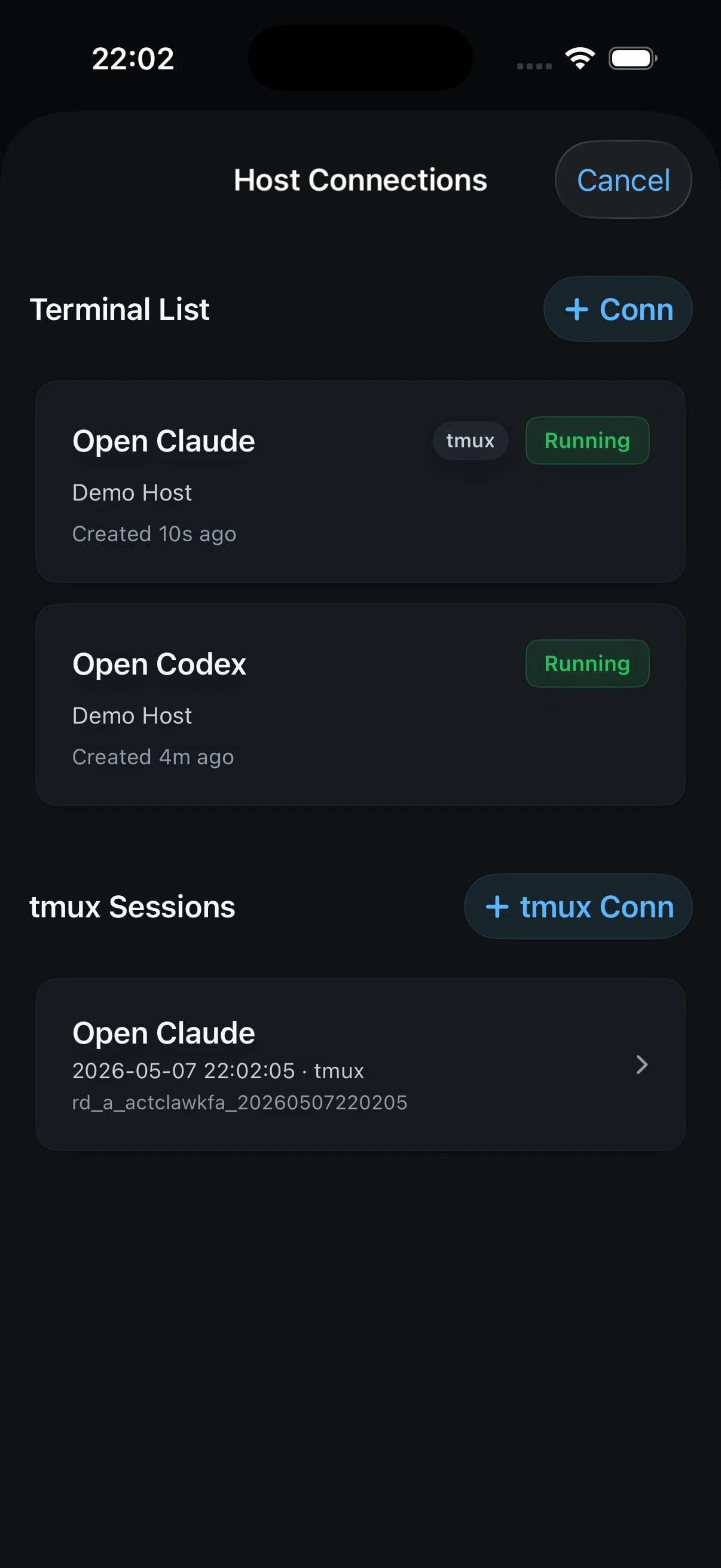
Long agent tasks need a server-side session layer such as tmux. If the phone sleeps or loses connectivity, the agent should remain on the host and be available when you return.
This distinction matters: Mosh helps a client recover from network changes; tmux keeps the actual terminal session independent from any one client. Strong mobile workflows often use both.
Input designed for instructions, not only commands
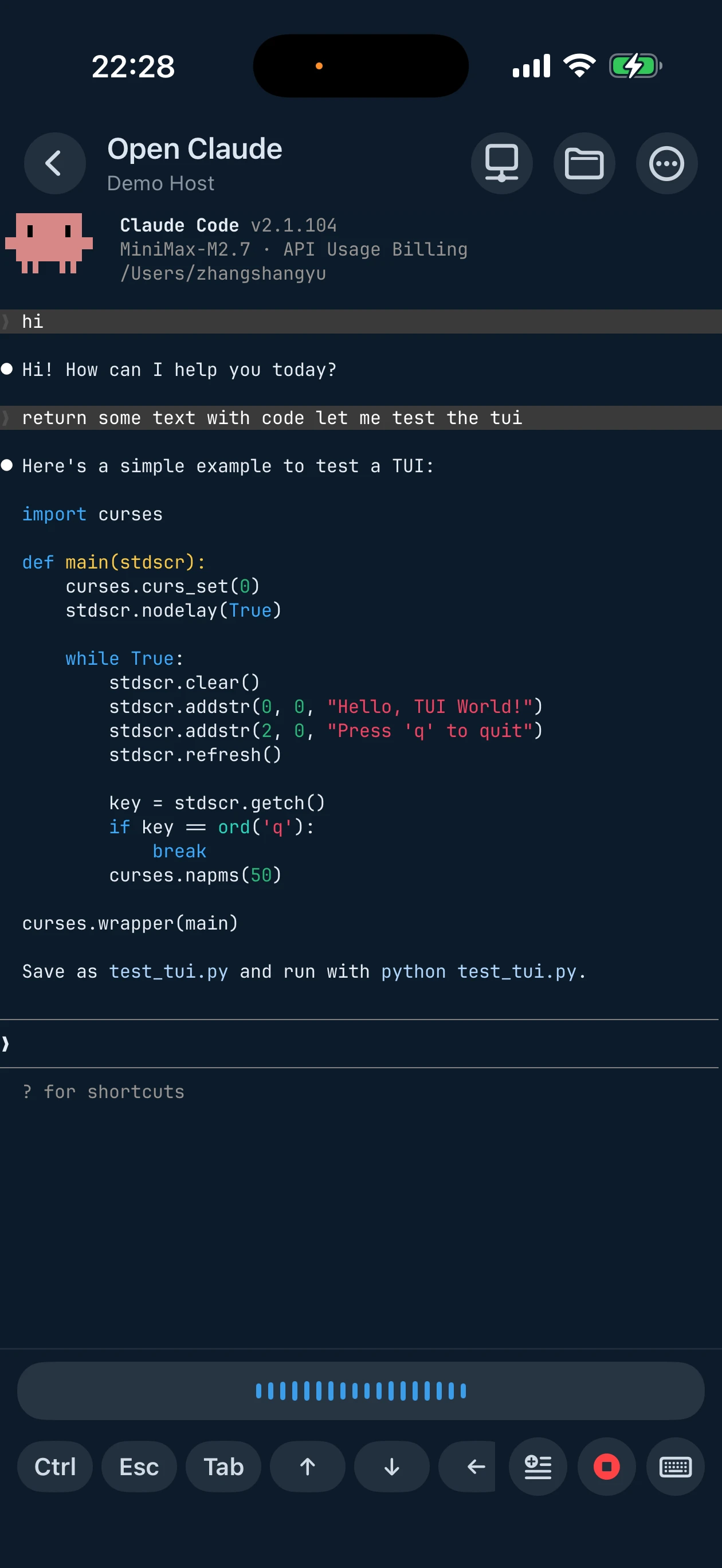
Typing git status on a phone is easy. Typing a multi-paragraph implementation brief with filenames, edge cases, and acceptance criteria is not. A good agent-oriented terminal should offer staged text, reusable prompts, snippets, or voice input that can be reviewed before sending.
Context beyond a host list
Traditional SSH tools organize connections around servers. Development work is usually organized around repositories. Remembering the correct directory, agent resume command, test target, dev server, and deployment check for every project adds friction to short mobile sessions.
A project-aware terminal can preserve that context and turn repeated commands into named entry points.
A way to inspect outcomes
Starting an agent is only the beginning. The useful workflow continues through test output, logs, files, web previews, diffs, and deployment checks. No mobile app covers every possible review surface, but the best choice should match the result you inspect most often.
Quick comparison
| App | Best for | Connection model | Distinctive strength | Main tradeoff |
|---|---|---|---|---|
| Redock | Project-aware AI coding workflows | SSH and Mosh to your own host | Projects, Actions, Runs, Activity, staged voice input, tmux workflow | Less focused on desktop clients and advanced infrastructure administration |
| KittyLitter | A free, Codex-first mobile agent experience | On-device Codex, LAN discovery, or SSH to a host | Open source, native agent conversations, voice prompts, on-device Codex | An agent client rather than a general-purpose terminal |
| Blink Shell | Keyboard-first terminal power users | SSH and Mosh, plus a local iOS shell | Mature keyboard customization, local Unix tools, iPad multitasking | Project and agent workflow layers are mostly assembled manually |
| Termius | Infrastructure access across devices and teams | SSH and Mosh with broad host tooling | Hosts, credentials, SFTP, port forwarding, cross-platform and team features | AI coding context is secondary to infrastructure management |
| Secure ShellFish | Remote files and Apple ecosystem integration | SSH with native file and tmux workflows | Files.app/Finder integration, SFTP, Shortcuts, widgets, Apple-platform depth | Repository and agent orchestration is not the central model |
| Prompt 3 | A polished, focused SSH client | SSH | Straightforward server access from an established Apple developer | Less specialized for modern agent orchestration |
The table is directional, not a protocol benchmark. Every full terminal here can run a terminal-based coding agent when that agent is installed on the remote host. The real difference is how much context and workflow the app builds around that shell.
1. Redock: best for a complete mobile AI development workflow
Redock is designed for developers who still want a real terminal but no longer want every mobile session to begin with choosing a host, changing directories, reconstructing a command, and manually finding an old tmux session.
A Project binds a Host to a working directory. Actions provide named entry points for interactive agents, quick commands, and long background tasks. Runs and Activity preserve results. Longer prompts can be staged, edited, spoken, or assembled from Snippets before they enter the terminal.
This makes Redock a strong fit when the repeated loop looks like this:
- Open the repository from a Project.
- Resume Claude Code, Codex, or OpenCode in a persistent session.
- Send the next requirement by text, voice, or Snippet.
- Run tests, builds, or health checks as named Actions.
- Return through Activity and continue from the result.
Redock also exposes SSH, Mosh, tmux, SFTP-style file work, image upload, terminal shortcuts, and web preview within the same development-oriented model. Its differentiator is not that shell commands are impossible elsewhere. It is that the common steps around agent work become visible product concepts instead of personal shell conventions.
Choose Redock if: the remote machine is primarily a development environment and the phone is used to move a repository from instruction to verified result.
Look elsewhere if: you primarily administer large host inventories, need shared team vaults, depend on a local iOS Unix shell, or spend most sessions doing keyboard-heavy manual terminal work.
2. KittyLitter: best free, open-source Codex client
KittyLitter takes an agent-native approach rather than presenting a general terminal. Codex is the center of the experience: the app renders conversations, reasoning, code blocks, images, and session history in mobile-native components instead of exposing a raw terminal buffer.
Its clearest advantages are price and openness. The core app is free, its underlying project is open source, and optional tips do not gate the main workflow. It can discover compatible machines on a local network, connect to a remote environment over SSH, accept voice prompts, and run Codex on the device for work that does not require a separate development host.
The important boundary is that KittyLitter is an agent client, not an arbitrary PTY. That focus produces a cleaner Codex conversation, but ordinary shell work—opening another TUI, tailing an unrelated log, running a database console, or managing a different process—may still require a separate terminal. Redock keeps the agent inside a full SSH/Mosh shell and adds Projects, Actions, Runs, Activity, and tmux continuity around it.
Choose KittyLitter if: Codex is your main agent, free and open source are priorities, on-device use is attractive, and a focused mobile conversation matters more than a general shell.
Choose Redock instead if: agent work regularly crosses into terminal commands, normal tmux sessions, multiple tools, repeatable Project Actions, and saved task output.
3. Blink Shell: best keyboard-first terminal for iPhone and iPad
Blink Shell remains one of the deepest mobile terminals for people who genuinely want to operate a shell from an Apple device. It combines mature SSH and Mosh support with extensive keyboard customization, a local Unix-style environment, Files.app integration, and serious iPad multitasking.
Blink can run Claude Code, Codex, or OpenCode on a remote host just like any capable terminal. Experienced users can build a durable workflow with SSH config, dotfiles, aliases, shell functions, tmux, and Blink shortcuts. That flexibility is a strength: the workflow remains based on standard tools and can travel between phone, tablet, and laptop.
The tradeoff is that the developer assembles more of the agent layer. Project context, named task results, background Actions, and agent-oriented Activity are not the primary abstraction. For some developers that is exactly right—they want a terminal, not a workflow system.
Choose Blink Shell if: you use a hardware keyboard, want a local shell on iOS, care about terminal customization, or treat the iPad as a portable Unix workstation.
Choose Redock instead if: most mobile sessions begin with a repository and an agent task rather than open-ended shell work.
4. Termius: best for infrastructure access and teams
Termius is a mature, cross-platform SSH client centered on hosts, credentials, SFTP, port forwarding, snippets, and infrastructure access across devices. Its collaboration and administration features make more sense than an agent-first terminal when the job is managing many servers or sharing access within a team.
Termius can run terminal agents, and standard tmux or Mosh practices can support long mobile tasks. But its strongest organizing unit is the host and the infrastructure around it. Redock's strongest organizing unit is the development Project and the workflow that continues after a command begins.
Choose Termius if: you manage many systems, need strong host and credential organization, transfer remote files frequently, use desktop clients, or require team-oriented access features.
Choose Redock instead if: a smaller number of development machines host the repositories and coding agents you return to every day.
5. Secure ShellFish: best for remote files on Apple platforms
Secure ShellFish is unusually strong when remote files are part of the normal Apple workflow. It can expose server directories through Files.app on iPhone and iPad and Finder on Mac, combining SSH and SFTP with Shortcuts, widgets, and broad Apple-platform integration.
It is also more agent-aware than the phrase “file-oriented SSH client” might imply. Its documented Shell Integration supports tools including Claude Code, Codex, and OpenCode, while its native tmux and notification features help long-running work remain accessible.
The difference is the center of gravity. Secure ShellFish begins with servers and their files. Redock begins with repositories, agent sessions, and repeatable development actions.
Choose Secure ShellFish if: browsing, opening, moving, or editing remote files through Apple system surfaces is the recurring job.
Choose Redock instead if: the recurring job is steering an agent inside a repository, running verification, and returning to saved task context.
6. Prompt 3: best for a focused traditional SSH experience
Prompt 3 comes from Panic, a long-established developer of Apple software. It is the most conventional choice in this list: a polished SSH client for connecting to servers without turning the terminal into a larger agent workspace.
That simplicity can be valuable. If you already manage tmux, projects, commands, and credentials through your own conventions, you may not want another product layer. A focused SSH client is enough to open the shell and let standard remote tools do the rest.
For agent-heavy mobile development, however, simplicity also means more manual setup around session recovery, project entry points, long prompt input, and task history.
Choose Prompt 3 if: you want a polished Apple-native SSH client and prefer to keep workflow logic in the shell.
Choose a more agent-oriented option if: the app should actively help organize repositories, agent sessions, approvals, tasks, or results.
What about Happy and first-party remote control?
Not every mobile coding tool is a terminal.
Happy is also better understood as an agent companion. It prioritizes mobile-native conversations, pairing, approvals, notifications, and agent sessions. Anthropic's Remote Control and other first-party mobile experiences similarly narrow the interface around a particular agent workflow.
That can produce a cleaner experience when you only want to talk to the agent. It is less general when the task suddenly requires an ordinary shell, a different agent, a manual Git command, an interactive TUI, a log follower, or an operational check.
Choose an agent companion when focused conversation is the product you want. Choose a terminal when you need the phone to remain a general interface to your development machine.
Which mobile terminal should you choose?
Use the workflow you repeat most often as the deciding factor:
- Choose Redock when you want Projects, agent sessions, Actions, saved Runs, voice requirements, terminal access, and tmux continuity in one development workspace.
- Choose KittyLitter when you want a free, open-source, Codex-first mobile Agent client and rarely need an arbitrary shell.
- Choose Blink Shell when terminal depth, keyboard control, a local Unix environment, and iPad productivity come first.
- Choose Termius when hosts, credentials, SFTP, port forwarding, cross-platform access, and team infrastructure are the job.
- Choose Secure ShellFish when remote files and Apple ecosystem integration are central.
- Choose Prompt 3 when you want a polished, focused SSH client and will manage the workflow yourself.
There is no universal winner because these apps optimize different units of work. The best mobile terminal for AI coding is the one that reduces the steps between “the agent needs me” and “the work can continue.”
FAQ
Can I really use Claude Code or Codex from an iPhone?
Yes. The agent normally runs on your Mac, workstation, or VPS. The iPhone connects over SSH or Mosh and displays the same terminal interface you would use from a laptop. A persistent tmux session lets the agent continue when the phone disconnects.
Is Mosh better than SSH for mobile terminals?
Mosh is often better at recovering interactive sessions across changing networks. SSH remains more universal and supports features such as standard port forwarding. Many developers use SSH for access and tmux for persistence, adding Mosh when network roaming is a frequent problem.
Does tmux duplicate what Mosh does?
No. Mosh makes the client connection resilient. tmux keeps the terminal session and its processes on the host independently of the client. For long agent tasks, tmux is the more important persistence boundary.
Do I need voice input?
Not for shell commands. Voice becomes useful for long natural-language agent requirements. The important feature is the ability to inspect and correct the transcript before sending technical names, paths, and instructions to the agent.
Is iPad better than iPhone for terminal work?
The larger screen and hardware keyboard make iPad better for sustained terminal interaction, split views, and review. iPhone is better for quick prompts, approvals, checks, and recovery. A well-designed workflow should support both without making the phone imitate a laptop.