

AI coding agents can keep working long after you leave your desk—but only if the surrounding workflow can keep up. A practical setup quickly grows beyond one terminal window: several repositories, multiple agents, persistent tmux sessions, tasks waiting for approval, and development machines in different locations.
This guide explains how to build a remote AI coding stack with a development machine, tmux, Tailscale, Claude Code, Codex or OpenCode, and your phone. More importantly, it shows how to organize multiple agents, preserve long-running sessions, and use the phone as a control plane for checking progress, responding to questions, and triggering repeatable development actions.
1. AI coding changed the remote development workflow
Traditional remote development was mostly synchronous:
Connect to a server → enter commands → edit code → disconnect.
Agent-driven development is different:
Assign a task → let the agent work → answer a question → inspect the result → adjust direction → run tests or deploy.
Claude Code, Codex, and OpenCode can investigate a repository, modify multiple files, run commands, and iterate on tests for far longer than a normal interactive shell command. A developer may have one agent refactoring a web application, another investigating an API failure, and a third preparing documentation in a different repository.
The bottleneck is no longer typing code. It is keeping track of what every agent is doing.
When you leave the desk, those tasks should not end with the terminal window. The phone becomes useful not because it is a smaller workstation, but because it can keep you connected to decisions: check whether an agent is still running, answer a confirmation prompt, review a failure, or start the next deterministic step.
2. Why remote AI coding becomes messy so quickly
The first version of this workflow often looks reasonable: open one terminal tab per project and start an agent in each one. It becomes difficult as soon as the work lasts longer than your memory of the window layout.
You start drowning in terminal tabs:
- Every repository has one or more terminal windows.
- Claude Code, Codex, and OpenCode sessions are scattered across tabs and devices.
- It becomes unclear which agent belongs to which repository, branch, or task.
- tmux Session names such as
test,new, orsession1stop meaning anything. - After a disconnect, you must reconnect over SSH, find the directory, list tmux Sessions, and guess which one matters.
- Two agents may accidentally modify the same Branch or working directory.
- When you return, you cannot immediately tell which task completed, failed, or is waiting for input.
More agents do not automatically create more productivity. Without a clear workflow, they create more state to remember.
The solution is not another terminal tab. It is a stack in which every layer has one clear responsibility, plus a visible way to associate a machine, repository, Session, Agent, and task.
3. The five layers of a remote AI coding stack
The complete stack is easier to understand as five cooperating layers:
| Layer | Role |
|---|---|
| Development machine | Stores repositories and provides the real computing environment |
| AI coding agent | Investigates problems, writes code, runs commands, and tests results |
| tmux | Keeps terminal and Agent Sessions alive after a client disconnects |
| Tailscale | Provides private reachability between the phone and development machine |
| Redock on your phone | Organizes Projects, restores Sessions, and controls ongoing work |
3.1 Your development machine
The development machine can be:
- A Mac.
- A Windows PC with WSL and SSH configured.
- A Linux desktop or laptop.
- A home server that stays online.
- A remote Linux server or cloud development host.
The operating system matters less than having a machine that can keep your repositories, terminal Sessions, and AI coding agents running. It should contain the actual toolchain: Git credentials, language runtimes, package managers, compilers, containers, databases, and any services the project requires.
A laptop can work, but sleep settings matter. If the lid closes and the operating system suspends, tmux cannot keep computation moving. For truly long-lived work, use a machine configured to remain awake or a server designed to stay online.
3.2 Claude Code, Codex, or OpenCode
The Agent runs on the development machine. It reads the repository from that machine, uses its tools, modifies its files, and consumes its compute and network access.
The phone does not need to compile the application, run the model client locally, or replace a desktop IDE. It mainly needs to:
- Send or refine an instruction.
- Check current output.
- Respond when the Agent is waiting.
- Inspect whether tests passed.
- Trigger the next Action.
This separation makes the workflow practical. The development machine stays powerful and stateful; the phone stays lightweight and always available.
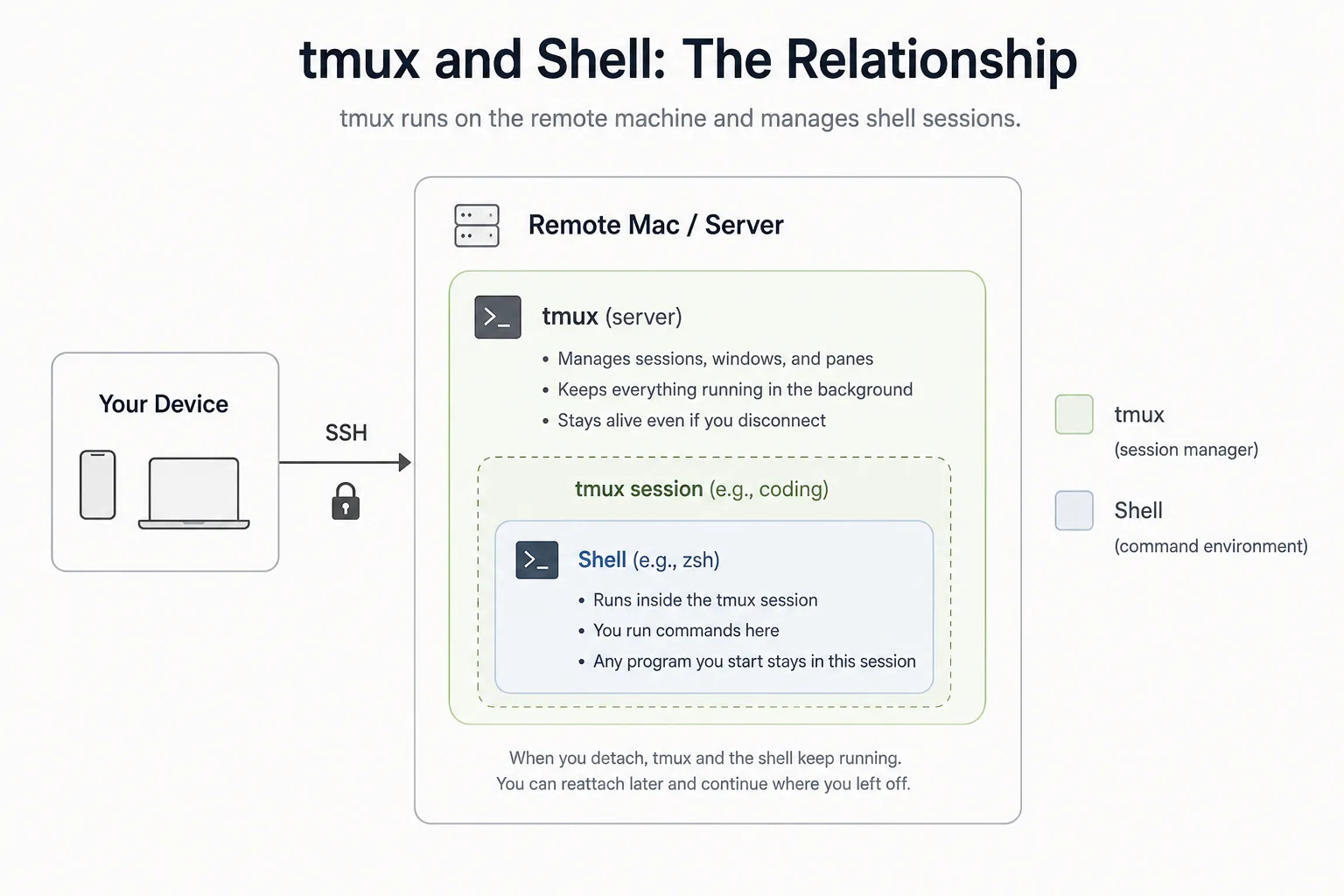
3.3 tmux keeps the work alive
SSH gives you a connection. tmux gives the terminal Session a life independent from that connection.
When an Agent runs inside tmux:
- An SSH disconnect does not automatically stop it.
- Locking the phone does not end the remote process.
- You can change networks and later enter the same Session.
- Different Projects or Agents can use separate named Sessions.
- A laptop terminal and a phone can return to the same host-side context.
But tmux solves persistence, not organization. tmux keeps Sessions alive, but it does not automatically tell you which Session belongs to which Project, task, Branch, Worktree, or Agent.
That missing association is why a list of ten live tmux Sessions can still feel like a pile of anonymous terminal tabs.
3.4 Tailscale makes the machine reachable
Tailscale connects the phone and development machine through a private network. You do not need to expose password-authenticated SSH directly to the public internet, and the devices can live on different physical networks.
This is useful when the development machine is at home or in the office while the phone is using cellular data, hotel Wi-Fi, or another external network. Tailscale handles reachability; normal SSH or Mosh still provides the terminal connection.
This article treats Tailscale as a network layer, not a full setup tutorial. Start with the Redock Tailscale guide if you need the step-by-step configuration.
3.5 Your phone becomes the control plane
Your phone should be an AI coding control plane, not a tiny laptop.
It is well suited to short, high-value interactions:
- Read the Agent's current output.
- Answer a confirmation question.
- Add one constraint or correction.
- Check a test result or error log.
- Run a predefined Action.
- Restart a service.
- Trigger a build or deployment.
- Keep work moving while away from the desk.
It is not well suited to writing large amounts of code manually, replacing a complete desktop IDE, or constantly switching among narrow, anonymous terminal windows.
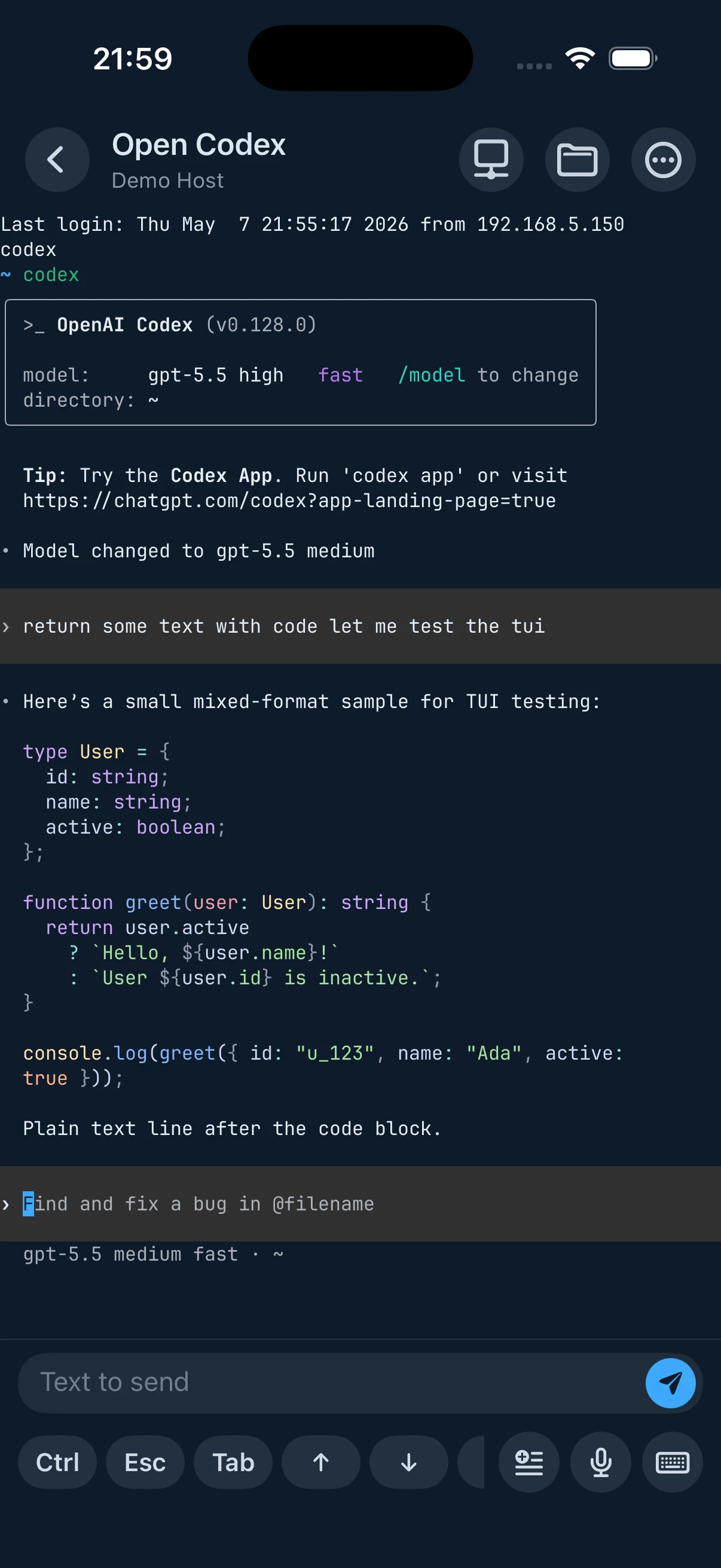
The control-plane model respects the strengths of both devices: the development machine executes; the phone supervises and directs.
4. How to run multiple AI coding agents without conflicts
Starting several Agents is easy. Keeping their state isolated and understandable is the real work.
One Project, one clear context
For every active Agent, be able to answer these questions:
| Context | Example |
|---|---|
| Host | home-linux |
| Repository path | ~/code/redock-web |
| Branch or Worktree | feature/remote-stack-article |
| Agent | codex |
| tmux Session | redock-web-blog |
| Current task | Write and verify the remote stack article |
If any field is ambiguous, the workflow will eventually depend on memory.
Separate tasks at the filesystem level
When multiple Agents modify code in parallel:
- Give each Agent one explicit task.
- Use different Git Branches.
- Use separate Git Worktrees when Agents need to work concurrently.
- Avoid pointing two Agents at the same mutable working directory.
- Integrate and review changes through normal Git workflows.
An Agent is fast enough to create conflicts quickly. Filesystem separation prevents coordination problems that no terminal UI can solve afterward.
Use predictable Session names
Good names make the Project and purpose visible:
redock-ios-feature
redock-web-blog
redock-api-timeout-fix
Avoid names that become meaningless a day later:
session1
test
new
Make task status visible
At minimum, distinguish these states:
- Running — the Agent is actively working.
- Waiting for input — a decision or permission is required.
- Completed — the requested work finished.
- Failed — a command, test, or Agent run stopped with an error.
- Needs review — work exists, but a developer must inspect it.
The goal is to stop managing Agents as anonymous terminal tabs and start managing them as visible Project workflows.
5. A practical remote AI coding workflow
Here is how the layers work together in one realistic scenario.
Step 1: Start the Agent on your development machine
Open the correct repository and start Claude Code, Codex, or OpenCode with a focused task:
Investigate the connection timeout, implement a fix, and run the relevant tests.
The Agent now has access to the full repository and local toolchain.
Step 2: Keep it running with tmux
Run the Agent inside a dedicated, clearly named tmux Session. If the desktop terminal closes or an SSH client disconnects, the Agent and terminal state remain on the development machine.
Step 3: Leave your desk
The development machine stays awake and continues the task. Your presence at the keyboard is no longer required for every minute of execution.
Step 4: Reconnect from your phone
From another network, Tailscale makes the development machine privately reachable. Redock connects to the Host over SSH or Mosh.
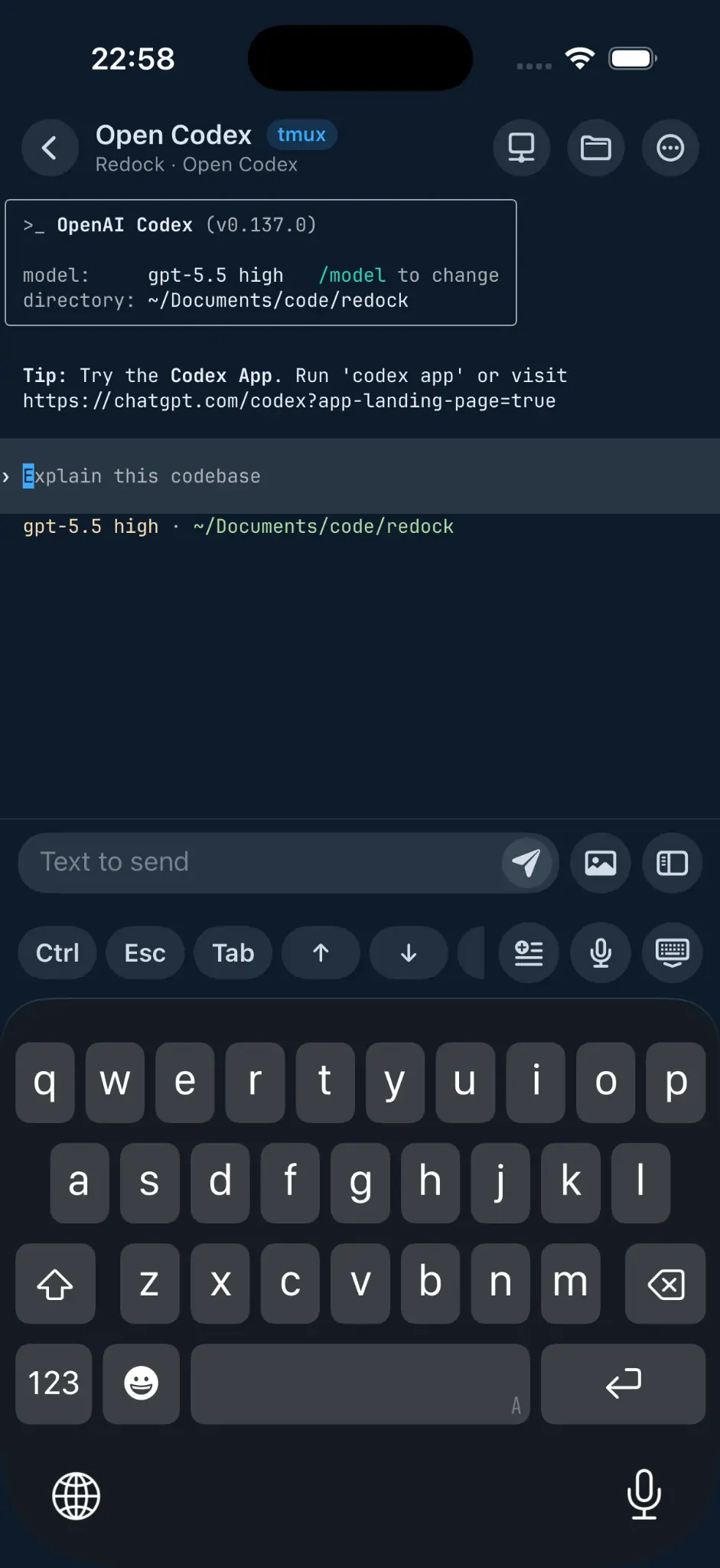
Step 5: Resume the correct Project and Agent
Instead of reconstructing the path manually—Which Host? Which directory? Which tmux Session? Which Agent?—open the Project context and return to the relevant work.
Step 6: Review and respond
On the phone, you can:
- Read progress and current output.
- Answer an Agent question.
- Correct the task direction.
- Check whether tests passed.
- Run a follow-up build, log, or deployment Action.
Step 7: Return to the desktop
When you are back at the desk, continue with the same Project, the same tmux Session, and the same Agent context. The phone did not create a separate mobile version of the work; it temporarily controlled the existing one.
6. Where Redock fits in the stack
SSH gives you access. tmux preserves the Session. Tailscale connects the devices. Redock turns these pieces into a manageable AI coding workflow.
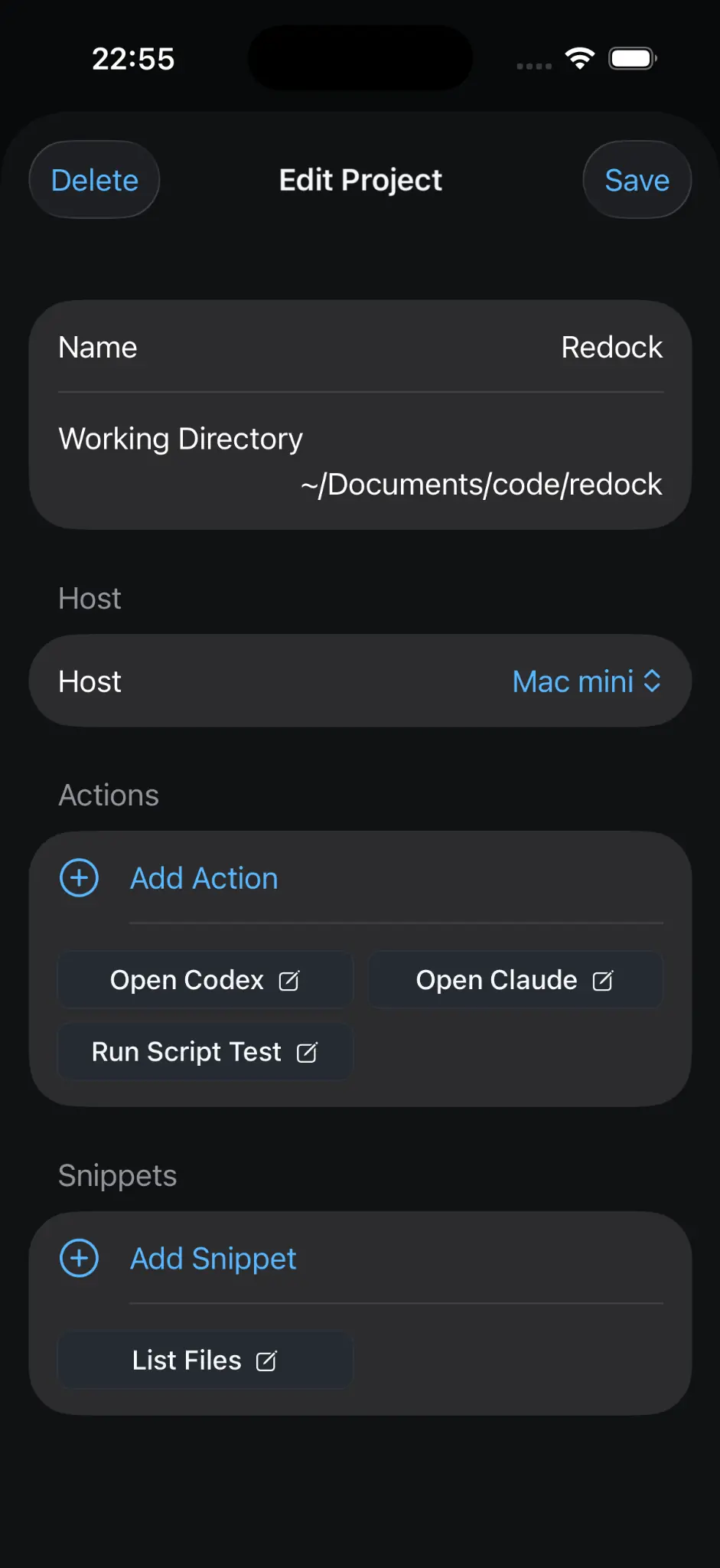
Projects preserve context
A Redock Project can keep the Host and repository path together with the Actions and Snippets used in that codebase. The goal is to return to development context instead of merely reconnecting to a server.
For a multi-Agent workflow, that context can represent:
- The Host where the Agent runs.
- The repository or Worktree path.
- The Agent launch command.
- The related tmux Session.
- Common test, build, preview, and deployment Actions.
Sessions become easier to recover
Without a workflow layer, returning often means repeating:
ssh host
cd project
tmux ls
tmux attach -t session-name
Those commands are standard and useful. The problem is repeating them across several Hosts and Projects while remembering which Session contains the work you need. Redock makes the recovery path visible from the Project and Host workflow.
Actions handle repeatable work
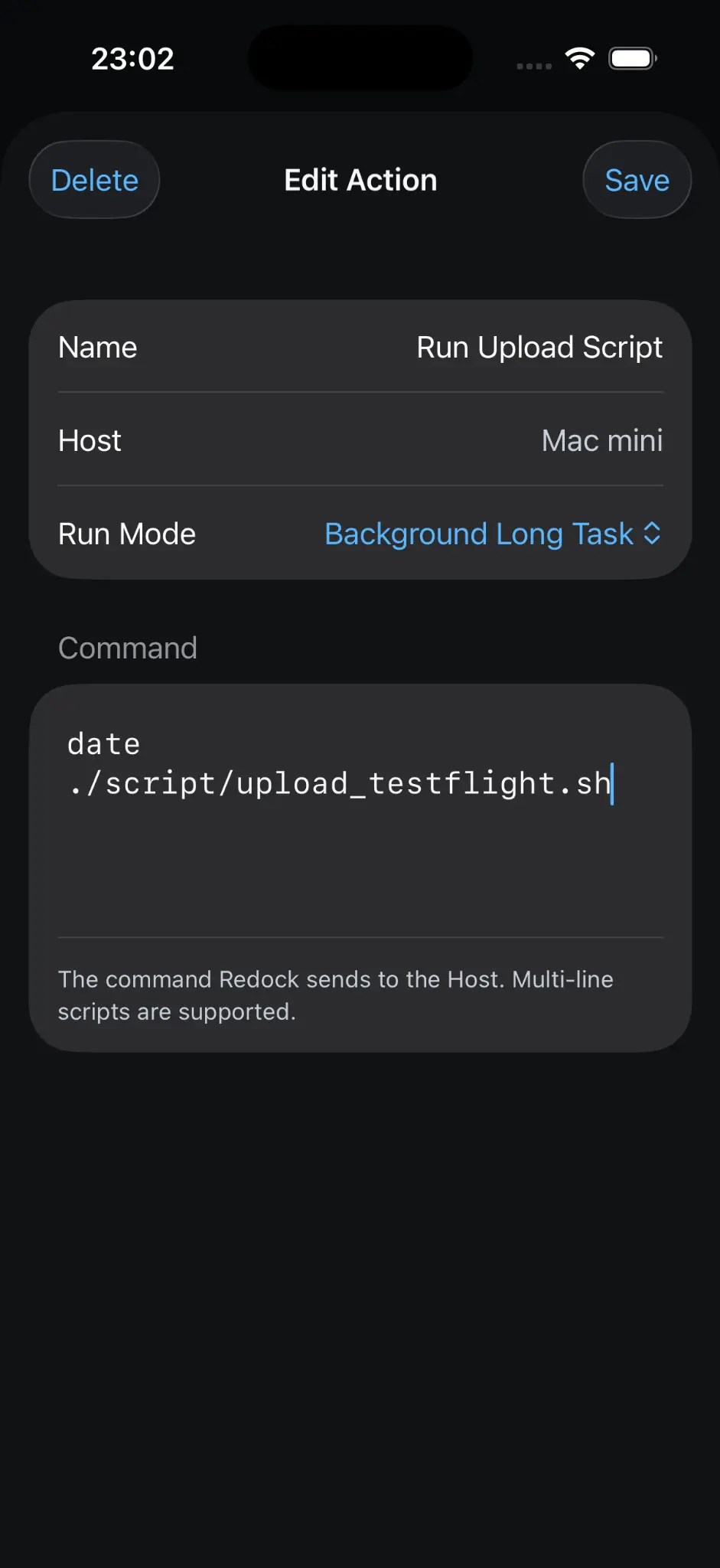
Not every step should be another Agent prompt. Deterministic commands are often better as named Actions:
- Build.
- Test.
- Git status.
- Restart service.
- Deploy.
- View logs.
Quick Tasks return output as a Run. Background Long Tasks can continue in remote tmux. Interactive Actions open Agents and other TUIs in a live terminal.
Activity makes long-running work reviewable
When you leave a desk, the hardest question is often not “Can I SSH back in?” but “What happened while I was gone?” Saved Runs and Activity provide a place to return to task output instead of reopening terminals and guessing which command finished.
Redock does not replace your terminal, development machine, or AI coding agent. It gives you a control layer above them.
7. What happens when the connection drops?
Different interruptions affect different layers:
| Situation | Result |
|---|---|
| Phone locks or App enters the background | Agent continues on the development machine if it is inside a persistent Session |
| SSH connection drops | tmux Session continues on the Host |
| Phone changes from Wi-Fi to cellular data | Reconnect to the same machine and Session; Mosh can improve roaming recovery |
| Laptop sleeps | Tasks may pause because the machine is no longer running normally |
| Development machine shuts down | Agent and tmux processes stop |
| Agent waits for confirmation | Task remains paused until a user responds |
tmux is not magic process hosting. It survives client disconnection, not power loss or operating-system suspension. Tailscale makes a running machine reachable, but it cannot wake every sleeping device or preserve processes after shutdown.
The reliable setup therefore has three requirements: the development machine stays operational, the Agent runs inside a persistent Session, and the phone has a secure route back to the Host.
8. A better mental model for mobile coding
The old mental model is:
Use your phone as a smaller development computer.
The better model is:
Use your development machine for execution and your phone for supervision and control.
Stop coding on your phone—use it to control your AI coding agents.
This does not mean the phone becomes passive. It handles the moments that unblock work: a clarification, an approval, a failed test, a log check, a new constraint, or the next Action. It simply avoids forcing a small touchscreen to imitate the parts of a desktop environment it performs poorly.
9. Build your own remote AI coding stack
Use this checklist to assemble and test the workflow:
- Choose a development machine that can remain online.
- Install Claude Code, Codex, or OpenCode on that machine.
- Use separate repositories, Branches, or Worktrees for parallel Agents.
- Run long-lived Agent Sessions inside tmux.
- Use predictable names that identify the Project and task.
- Connect the phone and development machine through Tailscale.
- Use Redock to organize Projects, recover Sessions, review output, and run repeatable Actions.
- Test disconnect, reconnect, and recovery before relying on the setup away from the desk.
Start with one machine, one Project, and one Agent. Add parallel Agents only after the Session naming, Git isolation, and recovery path are clear.
10. Conclusion
The best remote AI coding setup is not the one that puts a full desktop IDE on a phone. It is the one that lets powerful development machines keep working while giving you a clear, reliable way to supervise them from anywhere.
AI Coding shifted the management problem from individual commands to long-running tasks and multiple active Agents. A reliable stack gives each layer one job: the development machine executes, the Agent implements, tmux preserves, Tailscale connects, and the phone provides immediate control.
With tmux keeping Sessions alive, Tailscale keeping machines reachable, and Redock organizing Projects, Agents, Actions, and Activity, your phone becomes a practical control plane for AI-assisted development.