
Confirm that the Host is reachable
Redock can reconnect through SSH or Mosh after the network path becomes available.
02 / Stay connected
Keep AI coding agents running through temporary disconnects and reconnect to your session when you are ready.
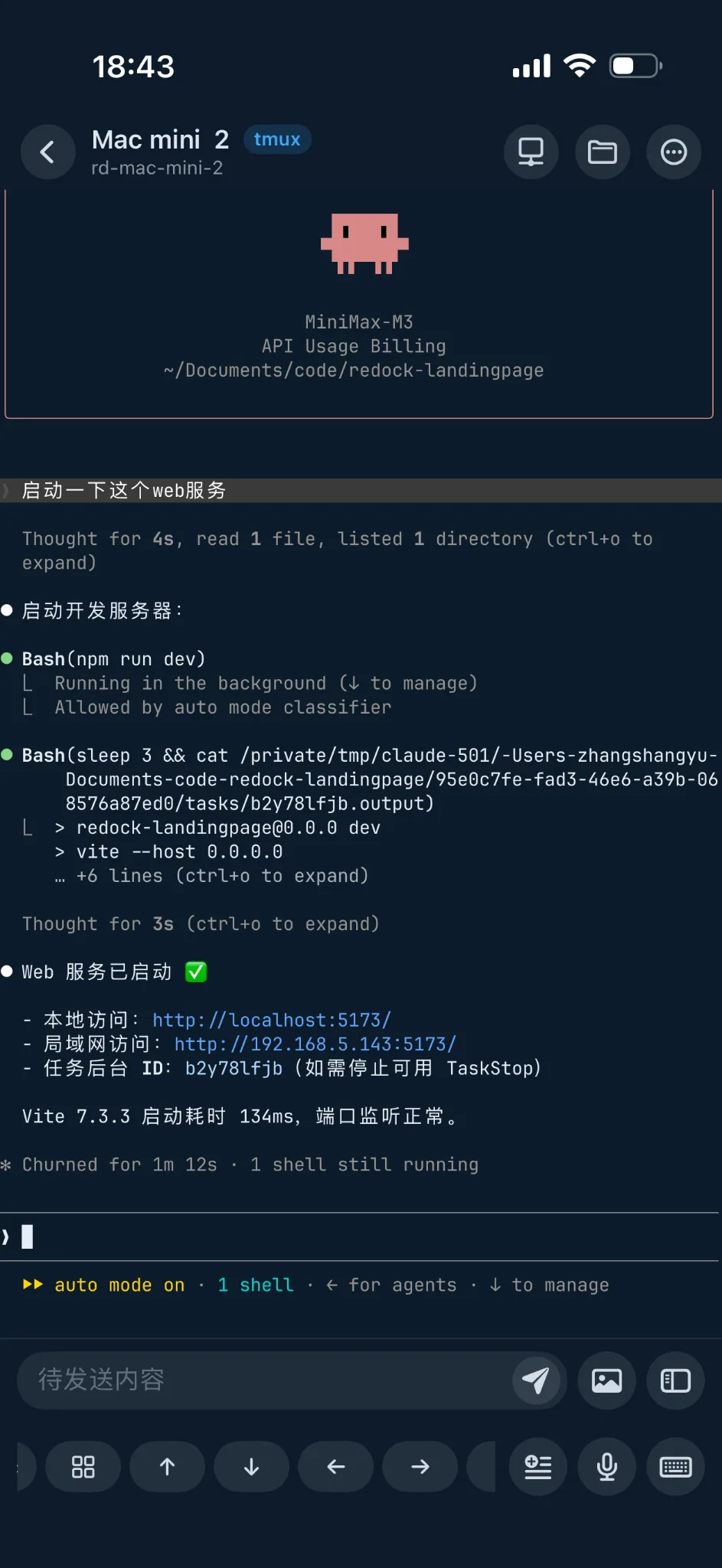
The phone is the current connection point; the code, terminal processes, and coding agent remain on the remote host.
IN THIS WORKFLOW
This workflow explains how Redock works with tmux, SSH, and Mosh to separate a long-running coding-agent session from the current phone connection and return to it after a temporary disconnect.
Why a long task should not depend on one mobile connection
How a connection differs from a running session
How tmux keeps the session on the host
How Mosh responds to network changes
How to return to the original session
Which AI coding tasks benefit most
BEFORE YOU START
Persistence does not require the phone to stay online. It requires the agent to start inside a tmux session on the development machine.
Keep the host powered on, install tmux and the coding agent you use, then configure the host in Redock through SSH or Mosh.
cd ~/projects/your-app

# Create or re-enter a named tmux session
tmux new-session -A -s ai-coding

# Start the coding agent inside tmux
claude  # or codex / opencode
tmux can preserve only a session that still exists on a running host. Shutdowns, restarts, sleep, or an agent process exiting produce different results.
THE PROBLEM
An AI coding task may run for tens of minutes while the agent reads the project, edits files, and runs tests.
During that time, the phone may lock, Redock may enter the background, Wi-Fi may become cellular, or the network may briefly disappear.
The important distinction is whether the phone can currently reach the host and whether the agent session still exists on that host.
Does the remote process remain after the phone locks?
What changes when Wi-Fi becomes cellular?
Can you return to the same output and context?
If the task depends on the current client connection, a disconnect makes the state difficult to recover.
Inside tmux, the session stays on the host. When the connection returns, you re-enter instead of restarting.
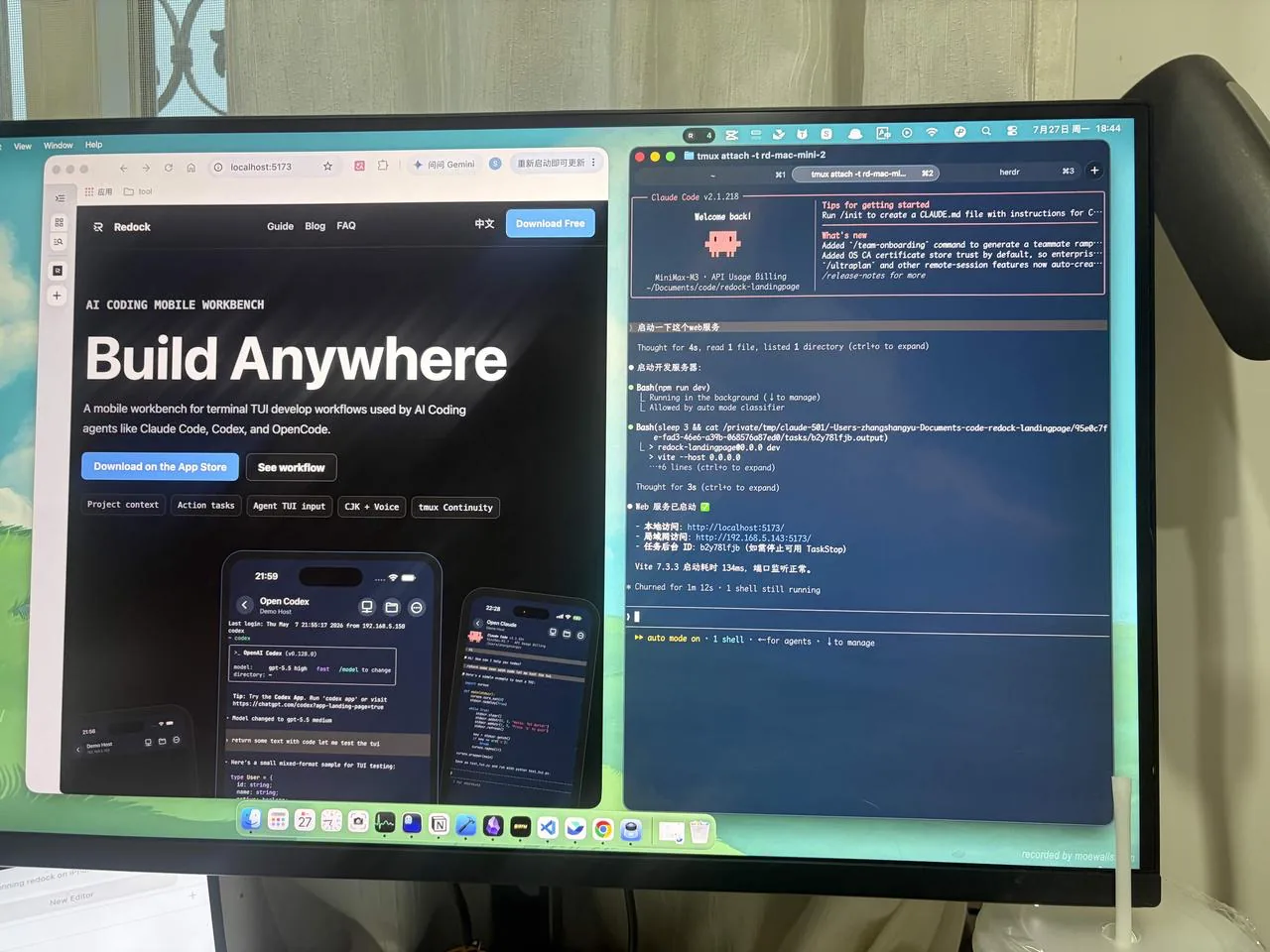
The repository, dependencies, tmux, and coding agent remain on the development machine.
You can leave the desk while the remote session handles the long-running task.
THE WORKFLOW
The goal is not to promise an uninterrupted phone connection. It is to make the running session independent of one continuous client connection.
tmux keeps the terminal session and agent process on the development machine. SSH or Mosh provides the path to the host, and Redock returns to the tmux session when that path is available.
During a temporary network change, the client may wait or disconnect while the agent continues remotely if the host and session remain healthy.
Create a named session in the project and launch the terminal-based coding agent.
The repository, dependencies, Git state, and agent process use the real development environment.
The phone may lock, enter the background, or move between networks.
When the path returns, use Redock to open the same Host and tmux session.
tmux list-sessions

# Re-enter the AI coding session
tmux attach-session -t ai-coding
If the session still exists, attaching returns to its current state rather than creating a new agent task.

Mosh may wait for the UDP path to recover during a network change.
That connection state does not mean the remote tmux session has ended. Recovery still depends on the host, network, and Mosh configuration.
RECONNECT
Reconnecting does not rebuild the development environment. Return to the same Host, inspect existing tmux sessions, and re-enter the one containing the agent.
Confirm that the Host is reachable, the session exists, and the agent is still working, finished, or waiting for input.
Redock can reconnect through SSH or Mosh after the network path becomes available.
A clear session name identifies the project and task instead of opening an empty Terminal.
The agent may still be working, may have finished, or may be waiting for a decision.
Reply in the original session or review the completed result without restarting the task.
After reconnecting to the Host, confirm:
tmux list-sessions
tmux attach-session -t ai-coding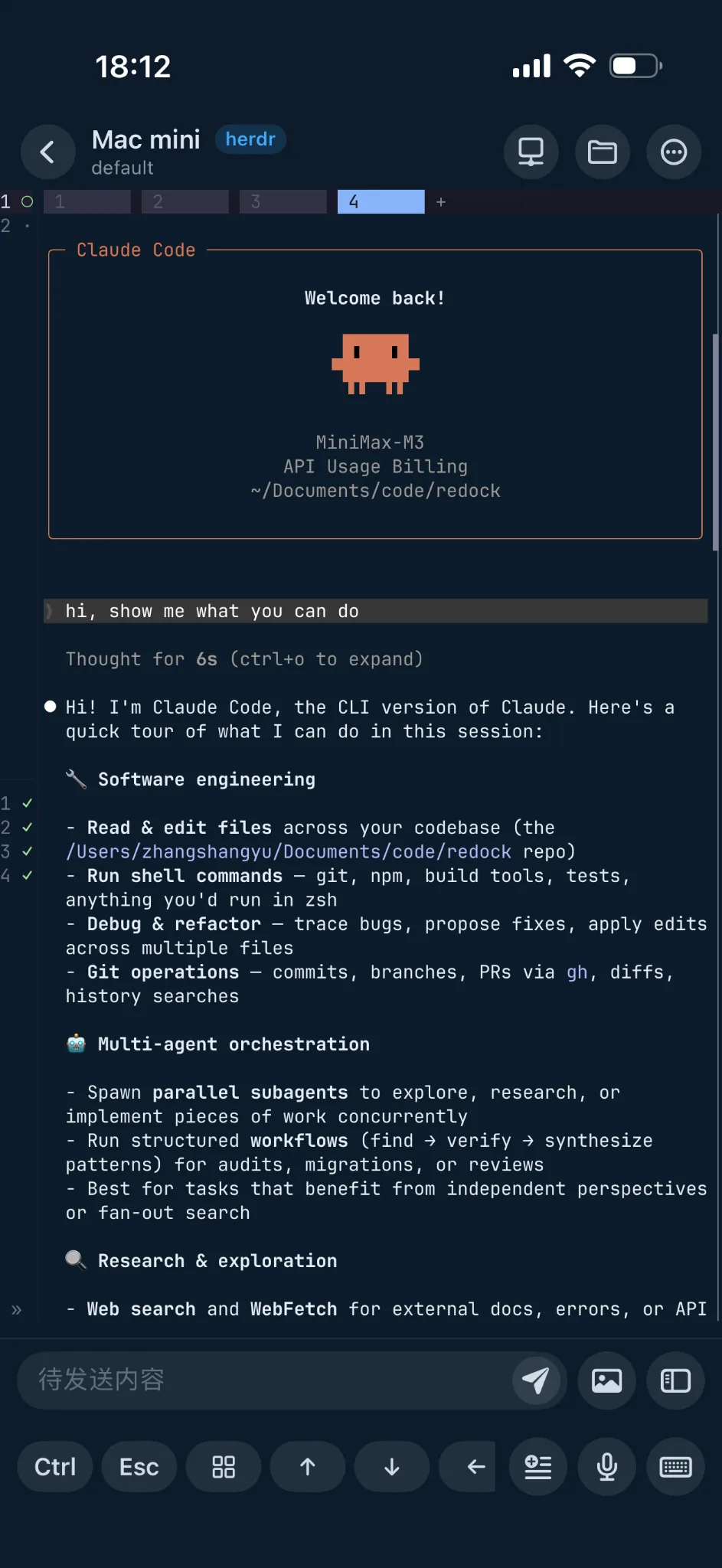
The restored view is the session already running on the development machine, not a blank new task.
Its terminal output and agent state remain available for review or response.
A REAL SCENARIO
At 12:06, before leaving the office, you start Claude Code in a tmux session named ai-coding and ask it to refactor an authentication module.
At 12:18, the phone locks and leaves office Wi-Fi. The current Redock connection becomes unavailable, while the tmux session and Claude Code remain on the Mac.
This is one tmux session continuing across the desktop, a disconnect, and a later mobile check-in.
Separate the token refresh logic in the authentication module. Keep the public API unchanged and run the authentication tests.
I will inspect the module and tests, refactor in stages, then run the relevant test suite.
The phone locks and leaves office Wi-Fi. Mosh waits for the network path to recover.
tmux: ai-coding · running on MacThe refactor is complete. 48 tests pass and one fails because of a refresh-token expiry assertion.
The output remains in tmux until you return.The network is available again. You open the same Host and attach to ai-coding.
Welcome back · attached to existing sessionUpdate the test too, but keep the public API unchanged. Then rerun the authentication tests.
Understood. I will update the assertion and rerun the tests without changing the public API.
The check-in may take less than a minute because the project, agent, and terminal context already exist on the host.
This does not promise instant recovery under every network condition. The Host and network path must become available before Redock can re-enter the session.
HOW REDOCK SUPPORTS THE WORKFLOW
tmux, SSH, and Mosh are not interchangeable features. They handle session persistence, secure access, and changing mobile networks.
tmux
The coding agent runs in a tmux session on the host, allowing the session and active processes to remain after the phone leaves.
SSH
SSH establishes the remote terminal connection. You can reconnect through SSH and attach to an existing tmux session without Mosh.
Mosh
Mosh supports roaming, temporary packet loss, and network changes, then attempts to continue when the UDP path returns. Results still depend on the server and network.
HOW THE LAYERS DIFFER
SSH or Mosh determines how the phone currently reaches the host; tmux determines whether the terminal session exists independently of that connection.
When Mosh waits for recovery, the connection layer is responding to network changes. The coding agent may continue if the Host and tmux session remain healthy.
Redock exposes these choices separately: Mosh can be the connection mode while tmux provides session persistence. This explains the architecture without promising recovery in every circumstance.
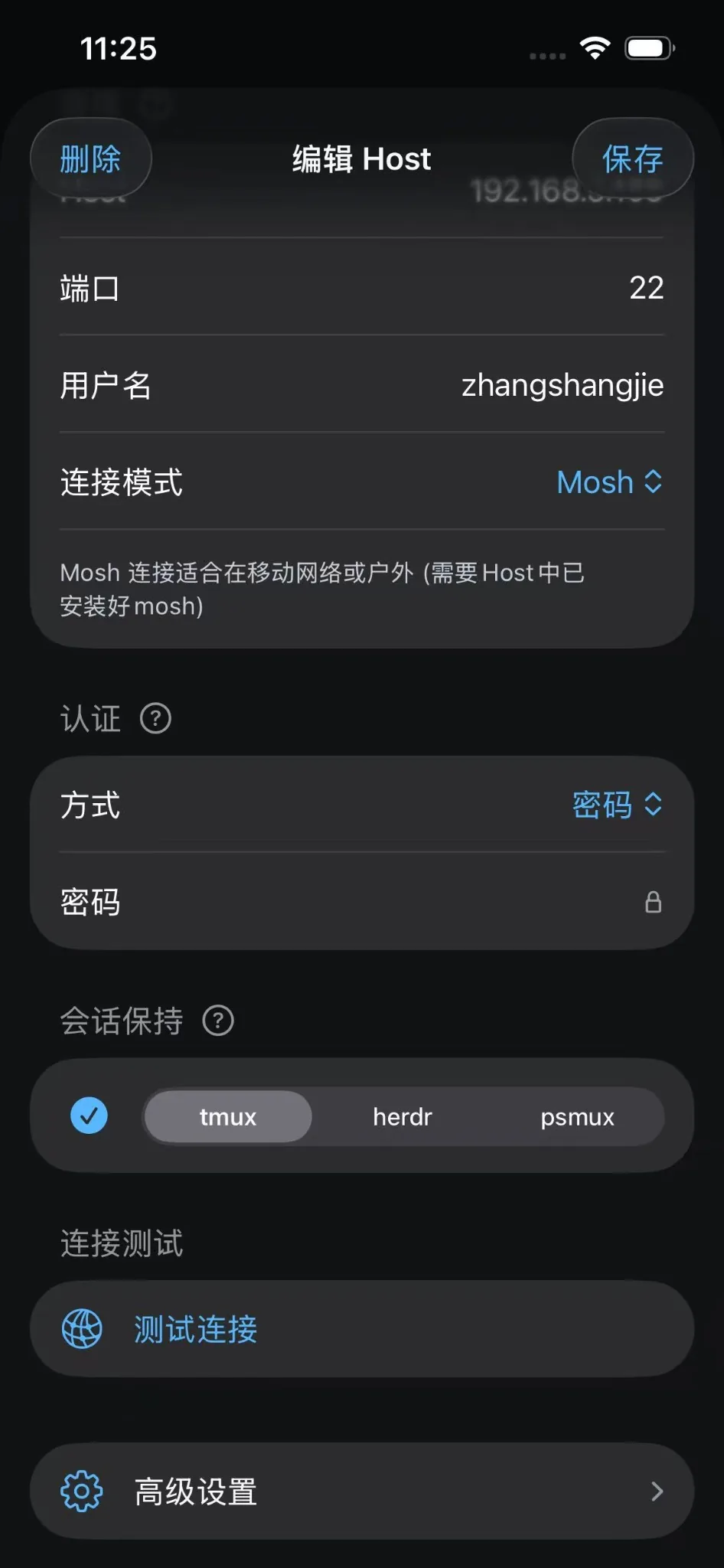
The coding agent and tmux session run on the development machine.
Redock reaches the Host through SSH or Mosh and re-enters the session after the path returns.
WHEN IT FITS
The task spans multiple edits and checks and should not depend on one continuously connected phone.
Keep the execution context in tmux and return later to review the result.
The client state should not be the only lifecycle controlling the remote session.
Use Mosh for the changing connection and tmux for the host-side session.
For a task lasting only seconds, an ordinary SSH Terminal may be enough. This workflow is most useful when work continues for a while and you expect to leave and return.
THE RESULT
Connection and task coupled together: every disconnect raises concern that the agent context is gone.
Connection and session separated: tmux keeps the host-side context and Redock returns after the path recovers.
Long-running AI coding does not require the phone to stay online forever. It requires the execution environment and session to have a lifecycle independent of the client.
tmux keeps the session on the host, SSH or Mosh provides the current path, and Redock returns the phone to that session.
The sequence becomes: session runs remotely, connection changes, user reconnects, and work continues from the original context.
The outcome still depends on the Host being online, the agent process running, the tmux session existing, and the network path becoming available.
COMMON QUESTIONS
No. tmux separates the session from the client connection, but shutdowns, restarts, sleep, resource limits, or the agent process exiting can still stop the task.
Mosh improves the terminal connection during IP changes and temporary interruptions. tmux keeps the terminal session and its processes on the remote host.
Yes. Re-establish SSH and attach to the tmux session if it still exists. Mosh is not required for tmux persistence.
Do not assume that it does. tmux depends on the Host and its processes continuing to run.
Yes. A terminal-based agent running inside tmux can be revisited through Redock after the Host reconnects.
下一篇 Workflow
STAY CONNECTED
Connect Redock to the development machine, keep long-running AI coding sessions in tmux, and return from your phone after the network path recovers.