

Mosh is useful when a normal SSH terminal feels fragile on mobile networks. It uses SSH for the initial login, starts mosh-server on the remote host, then carries the interactive terminal over UDP.
Redock includes the Mosh client side. The remote host must have mosh-server installed and reachable over UDP.
When to Use Mosh
- You move between Wi-Fi and cellular networks.
- SSH disconnects often on weak networks.
- Typing latency is high.
- You want an interactive shell that can survive brief network changes.
Start with SSH first. After the same Host works through SSH, switch Connection Mode to Mosh.
Install Mosh on the Host
macOS:
brew install mosh
Ubuntu or Debian:
sudo apt update
sudo apt install mosh
Fedora:
sudo dnf install mosh
Arch:
sudo pacman -S mosh
Verify that mosh-server is available:
command -v mosh-server
Open UDP Ports
Mosh uses SSH for authentication, then uses UDP for the interactive session. The default Mosh UDP range is 60000 to 61000.
For ufw:
sudo ufw allow 60000:61000/udp
For cloud servers, open inbound UDP 60000-61000 in the cloud firewall or security group.
If you only need a few sessions, you can expose a smaller UDP range, but the host and Redock must be able to use the selected range.
Enable Mosh in Redock
- Edit the Host in Redock.
- Keep Host, Port, Username, and Auth the same as the working SSH setup.
- Set Connection Mode to Mosh.
- Save the Host.
- Open a new terminal connection.
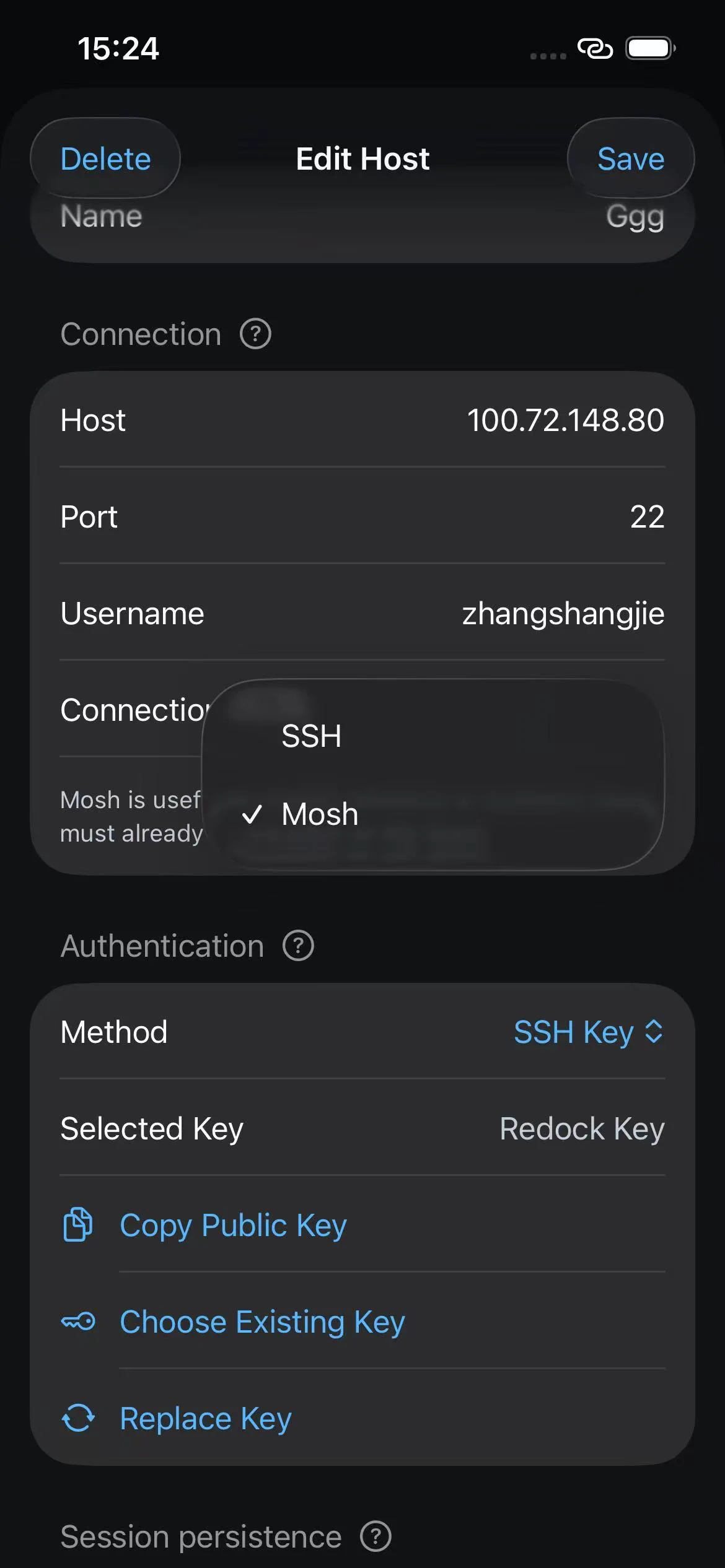
Redock runs an SSH preflight first. If mosh-server is missing or UDP startup fails, Redock may fall back to SSH and label the session as Mosh fallbacked.
Important Limits
- Mosh is for interactive terminal sessions.
- Mosh does not replace SFTP.
- Mosh requires UDP; it usually will not work through plain ngrok TCP SSH forwarding.
- If a corporate or cellular network blocks UDP, use SSH or Tailscale instead.
- Keep tmux enabled for long-running work. Mosh helps connectivity, while tmux keeps server-side session state.
Troubleshooting
mosh-server is not installed: install Mosh on the remote host.- Nothing received on UDP: open UDP
60000-61000on the server firewall and network path. - SSH works but Mosh falls back: the SSH bootstrap succeeded, but UDP did not.
- High security environment: prefer Tailscale plus Mosh, or stay on SSH with tmux.