
Check the current state
Open the Terminal to see whether the agent is still working, finished, or waiting for input.
01 / Work from anywhere
Claude Code, Codex, and OpenCode keep running on your development machine. After you leave the computer, Redock lets you check progress, answer the agent, add instructions, and keep the active task moving from your phone.
IN THIS WORKFLOW
This workflow explains how a coding agent remains in the real development environment while Redock lets you continue the task after leaving your computer.
Why AI coding tasks get interrupted after you leave
How the mobile workflow connects to the development machine
Which interactions make sense on a phone
What Redock contributes to the workflow
A practical example of answering an agent decision
When this workflow is most useful
BEFORE YOU START
Redock is a mobile way back into the development environment, not the environment where the coding agent runs. Start with a Mac, Linux host, or cloud server that already contains the repository and its dependencies.
Claude Code, Codex, or OpenCode should already be installed and authenticated. Start the agent in the project directory, then use your phone for later check-ins, replies, and follow-up instructions.
cd ~/projects/your-app

# Start the coding agent you use
claude
# Or: codex
# Or: opencode
Choose one agent command. You do not need to run all three.
THE PROBLEM
You ask Claude Code to implement a feature, or let Codex or OpenCode work through a set of changes. Once the task starts, you do not need to watch every line of terminal output.
You may get coffee, go to lunch, take a walk, or start heading home. The agent may continue editing and running checks long after you leave.
Ten minutes later, it may stop and wait for one decision.
How should this edge case be handled?
Should another file change too?
Is it safe to continue with this approach?
Often, all you need is enough context to send one clear reply.
If every small decision requires returning to the computer, the time saved by the coding agent is gradually lost to interruptions.
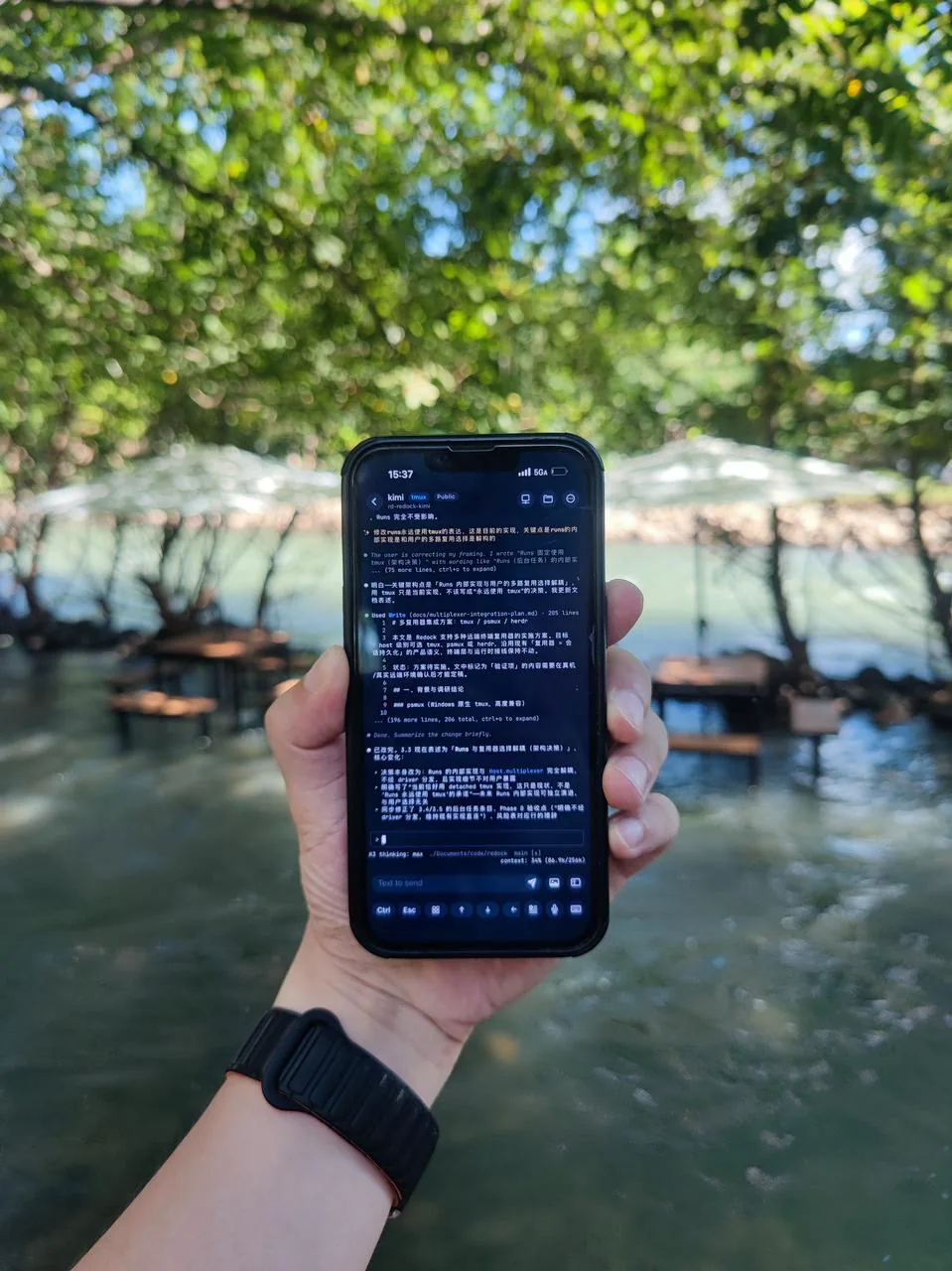
You do not need to stay beside the computer.
Reconnect from your phone when the task needs a decision.
THE WORKFLOW
Redock does not move the development environment onto the phone.
The code, Terminal, and coding agent continue running on the Mac, server, or other development host. The phone gives you a way back into the active workflow when needed.
Launch Claude Code, Codex, or OpenCode on the development machine and give it a task.
Let the task continue while you do something else.
When you want an update or the agent needs input, return to the relevant Project and Terminal.
Review output, answer a question, add a requirement, or dictate a short instruction.
Implement filtering for the user list.

Requirements:
- Sync filters to URL parameters
- Preserve them after refresh
- Run the relevant tests
Let the agent continue on the development machine. Open Redock when you need to check progress or provide input.
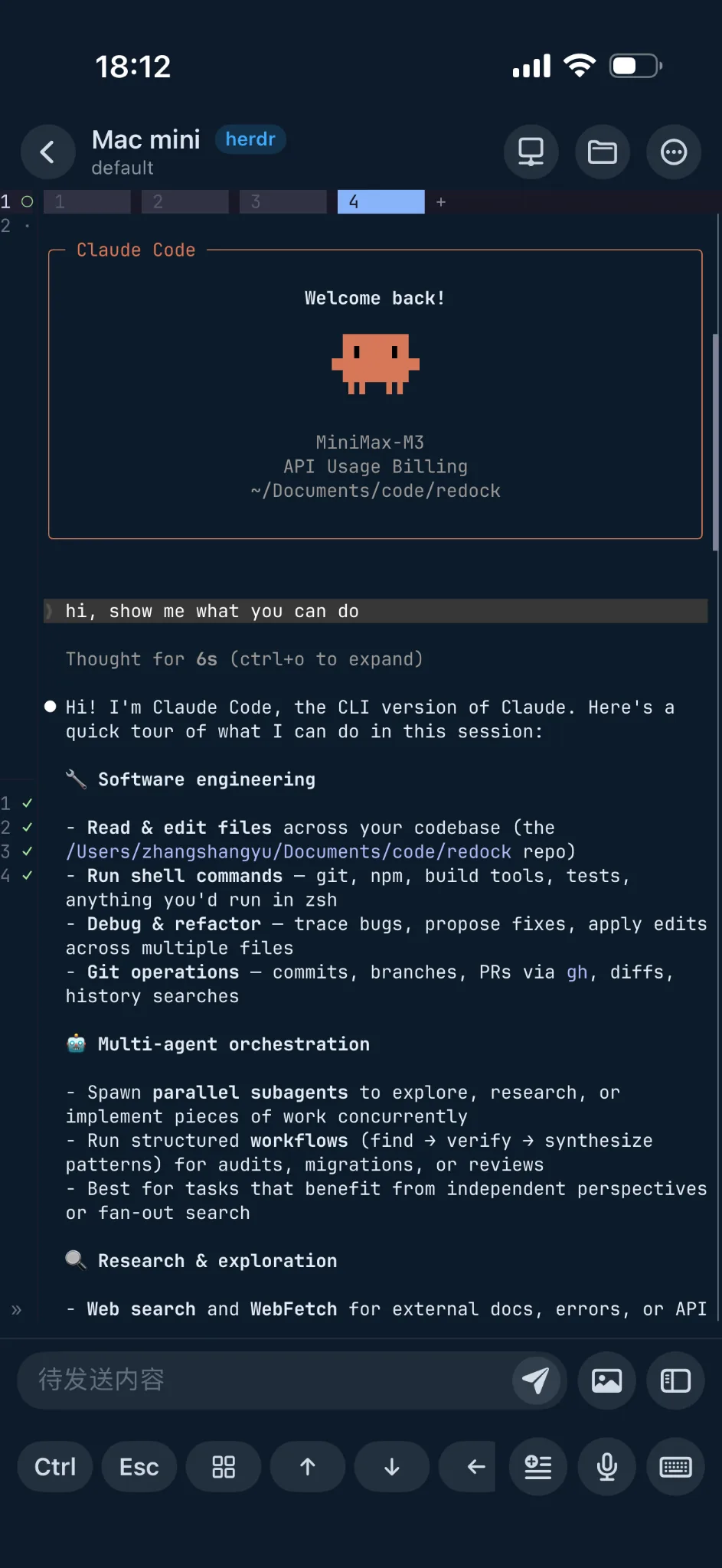
Claude Code and its task context remain on the development machine.
Open the Project and Terminal in Redock to review output or send the next instruction.
WHAT TO DO ON THE PHONE
Continuing AI coding from a phone does not mean rebuilding your entire desktop workflow on a small screen.
Mobile works best for short interactions that determine whether the agent can keep going.
Open the Terminal to see whether the agent is still working, finished, or waiting for input.
The agent may only need a decision about scope, data structure, or UI behavior.
Ask for another test, an error state, or a mobile check without restating the entire task.
Dictate a new instruction, review the text, and send it to the agent when a long mobile prompt would be uncomfortable.
Add one instruction from your phone:
Continue with option B.
Do not change the database schema yet.
Add a test for the error state.
Check the mobile layout too.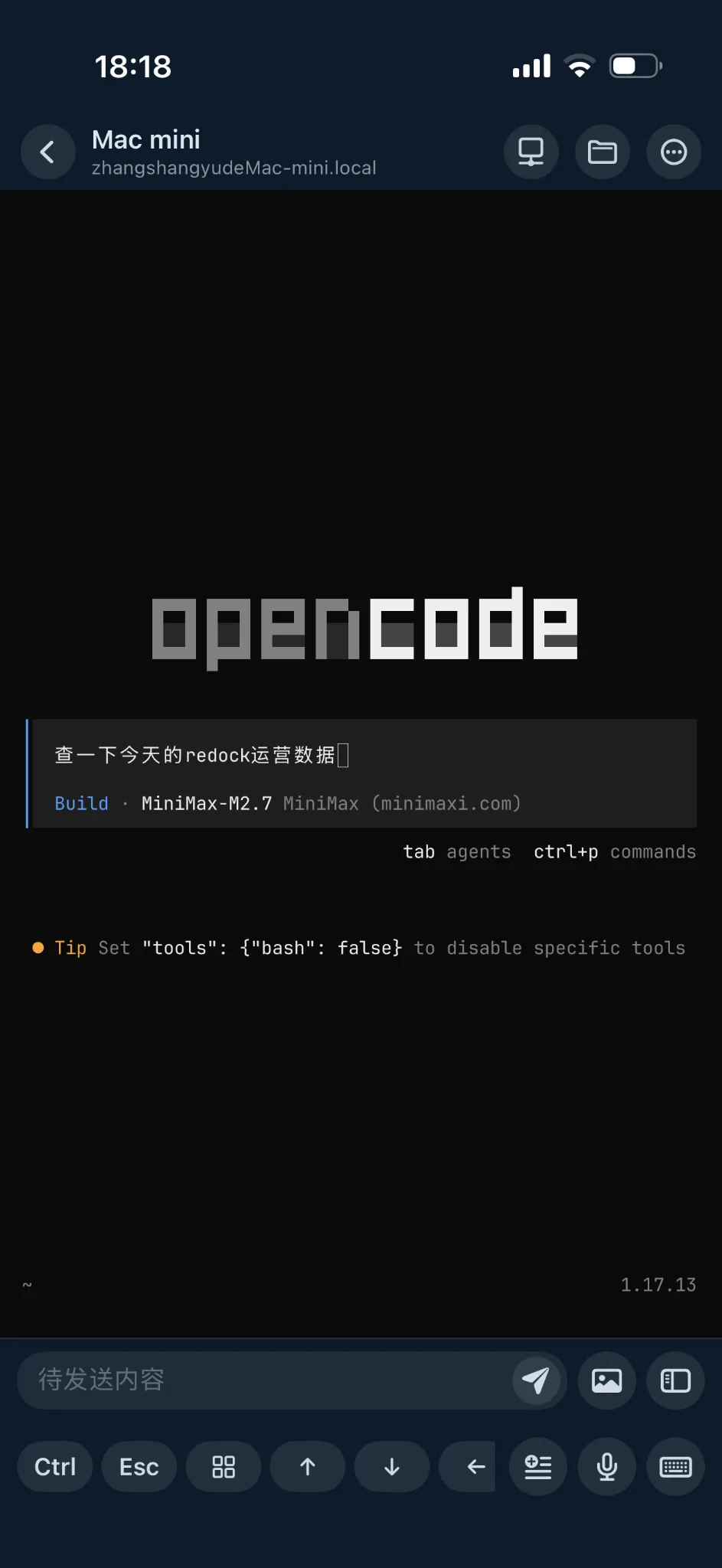
Redock does not bind this workflow to one coding agent.
If the agent runs in the remote Terminal, you can review progress and continue the task in the same way.
A COMMON SCENARIO
In the afternoon, you ask Claude Code on your Mac to add filtering to a user list and check whether related code should change.
The agent reads files, edits code, and runs checks. You leave for lunch instead of watching the terminal.
A few minutes later, most of the work is complete, but the agent needs you to choose how filter state should synchronize with the URL.
Without a mobile path back, the task waits until you return. With Redock, you can make the decision from the existing Project and Terminal.
Should filter state use URL parameters or local state?
The choice affects refresh behavior and shareable links.Use URL parameters. The selected filters should remain after a refresh.The check-in takes less than a minute.
You are not developing the feature again on the phone; you are providing the human decision the agent needs.
HOW REDOCK SUPPORTS THE WORKFLOW
Project, Terminal, and Voice Input work together as one workflow rather than three isolated features.
Project
Open the saved host and working directory without rebuilding the context from an empty terminal.
Terminal
Review output and send input to Claude Code, Codex, or OpenCode on the real development machine.
Voice Input
Dictate a reply or follow-up instruction when touch typing is inconvenient.
AN IMPORTANT DISTINCTION
The development environment remains on your Mac, Linux host, cloud server, or another remote machine.
The repository, dependencies, Git state, and coding agent stay in that environment.
Redock reconnects the phone to the development context; commands are still executed by the original host.
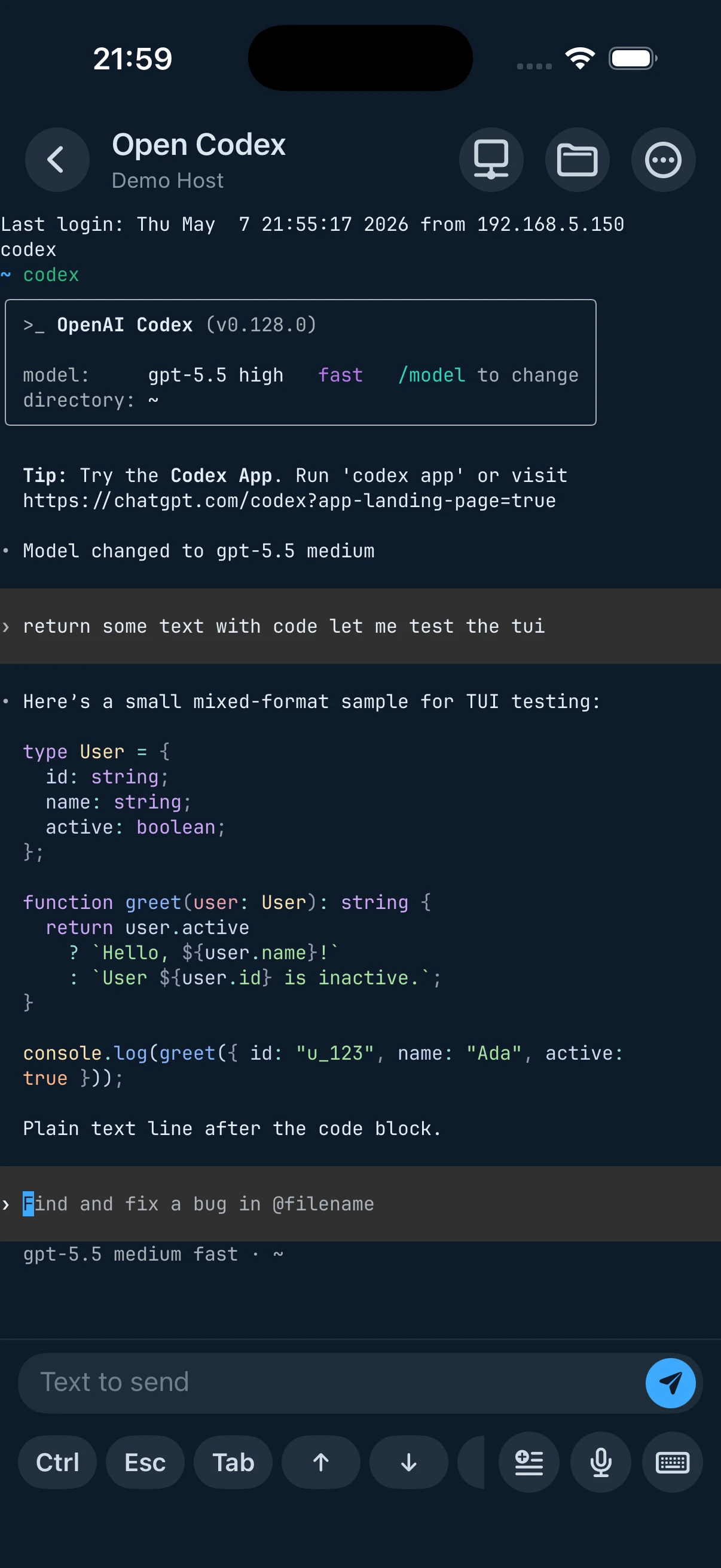
The coding agent, repository, and dependencies remain on the development machine.
Redock returns you to the same Project and Terminal so you can review progress, respond, and keep the task moving.
WHEN IT FITS
The agent can work independently but may need a decision later.
Lunch, coffee, meetings, and errands should not keep you tied to a coding task.
Check whether a task finished or answer one simple question.
The response is too small to justify reopening a laptop, but important enough to unblock the agent.
The computer remains the primary development environment. Redock covers the intervals that used to leave an agent waiting.
THE RESULT
Remote terminal access asks whether you can open a Terminal from another device.
Remote AI coding asks whether the agent can keep working without you watching it continuously.
Redock focuses on the second question.
The agent stays in the real development environment and continues the task.
You can leave the computer and return from your phone when the agent needs you.
Check the context, send a decision, and continue with your day.
COMMON QUESTIONS
No. The agent runs on your Mac, Linux host, or server. Redock connects the phone to that environment.
Not for the mobile check-in itself. Whether the agent continues depends on the host, process, and session setup. Use a persistent session such as tmux when you expect to disconnect.
Yes. The workflow applies to terminal-based coding agents running on the configured development host.
No. The computer remains the primary environment. The phone is useful for progress checks, decisions, and short follow-up instructions.
下一篇 Workflow
BUILD ANYWHERE
Connect Redock to your development machine and continue Claude Code, Codex, OpenCode, and remote Terminal sessions from your phone.