

Password login is convenient for the first connection. For daily use, prefer SSH keys, especially for Tailscale, VPS, ngrok, or any public endpoint.
Generate a Key in Redock
- Add or edit a Host in Redock.
- Set Auth to SSH Key.
- Choose Generate Key.
- Copy the public key shown by Redock.
- Add that public key to the remote host.
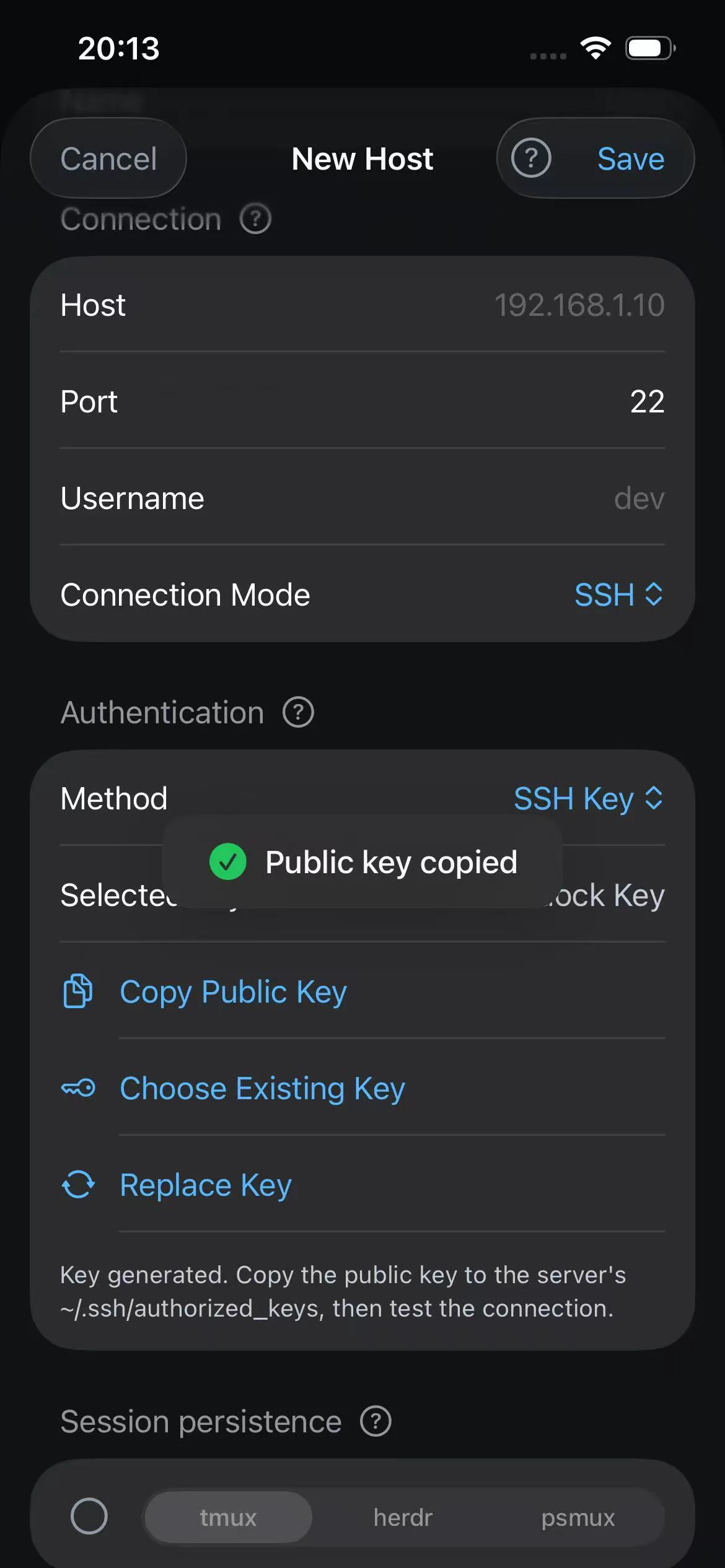
On macOS, paste the Redock public key into the clipboard. First check whether authorized_keys already exists:
mkdir -p ~/.ssh
chmod 700 ~/.ssh
ls -la ~/.ssh/authorized_keys
Most developer machines already have this file. If it exists, append the Redock public key directly:
pbpaste >> ~/.ssh/authorized_keys
chmod 600 ~/.ssh/authorized_keys
If the file does not exist, create it once, then append the key:
mkdir -p ~/.ssh
chmod 700 ~/.ssh
touch ~/.ssh/authorized_keys
chmod 600 ~/.ssh/authorized_keys
pbpaste >> ~/.ssh/authorized_keys
On Linux, check the same file first:
mkdir -p ~/.ssh
chmod 700 ~/.ssh
ls -la ~/.ssh/authorized_keys
If it exists, append or paste the Redock public key into it:
nano ~/.ssh/authorized_keys
chmod 600 ~/.ssh/authorized_keys
Import an Existing Private Key
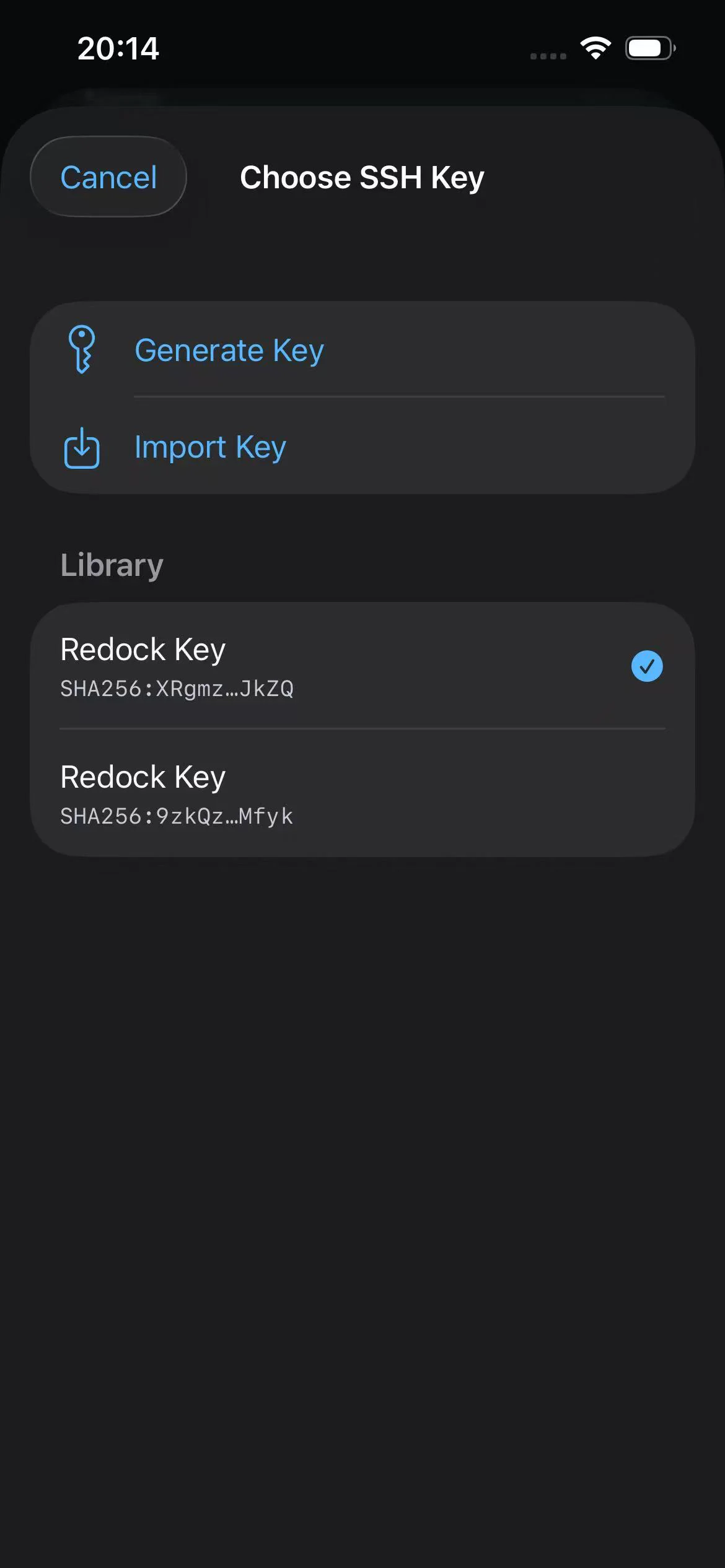
If you already have a private key:
- Confirm the matching public key is present on the remote host.
- Import the private key into Redock.
- Enter the passphrase if the private key is encrypted.
- Save the Host and test the connection.
The public key belongs on the remote host. The private key stays in Redock.
Permission Checklist
SSH is strict about file permissions. Use:
chmod 700 ~/.ssh
chmod 600 ~/.ssh/authorized_keys
If a private key file exists on the remote host for your own testing, use:
chmod 600 ~/.ssh/id_ed25519
Safer Defaults
- Use SSH keys for public endpoints.
- Restrict macOS Remote Login to only the users you need.
- Avoid weak passwords.
- Keep separate Redock Hosts for LAN, Tailscale, ngrok, and VPS access instead of repeatedly editing one Host.
- Remove old keys from
authorized_keyswhen you no longer use them.
Troubleshooting
- Authentication failed: verify Username, key pair, passphrase, and
authorized_keys. - Permission denied: check
~/.sshandauthorized_keyspermissions. - Wrong account: Username must be the remote system username, not an email or Apple ID.
- Key pasted incorrectly: each public key should be one full line in
authorized_keys.