 vs
vs
Redock vs Codex Mobile
Codex Mobile brings connected desktop Codex chats into ChatGPT Remote with rich review and approval context. Redock keeps control portable across agents and terminal work.
01
Product introduction
Codex Mobile refers here to Remote in the ChatGPT mobile app: a native interface for starting or continuing Codex work on a connected Mac or Windows host. The phone can steer tasks, approve actions, and review project context, terminal output, screenshots, diffs, and test results while execution uses the host’s files, credentials, plugins, browser setup, and local tools. Redock connects directly to a development host with SSH or Mosh and exposes a Project-oriented terminal workflow around any installed coding agent.
02
The short version
Choose Codex Mobile when you want the official Codex control plane: native diffs, tests, screenshots, approvals, host plugins and skills, worktrees, goals, and rich task steering inside ChatGPT Remote. Choose Redock when you need a full terminal, multiple coding agents, SSH/Mosh and tmux portability, or reusable Actions and Runs outside a Codex chat.
03
Core positioning difference
Choose between a rich first-party Codex control plane and a portable mobile terminal workbench that does not depend on one agent ecosystem.
Native Codex review, approvals, diffs, screenshots, worktrees, goals, plugins, and connected-host context in ChatGPT.
Cross-agent terminal access, standard SSH/Mosh transport, tmux continuity, named Actions, and saved Runs.
04
Workflow comparison
The biggest difference appears in what each product treats as the primary unit of work.
| Capability | Redock | Codex Mobile |
|---|---|---|
| Mobile entry | Redock Project | ChatGPT Remote host and workspace |
| Primary object | Project, terminal session, Action, or Run | Codex chat and engineering task |
| Review surface | Terminal output plus saved Run output | Native diffs, tests, screenshots, and approvals |
| Agent choice | Claude Code, Codex, OpenCode, or shell | Codex |
| Deterministic tasks | Named Actions | Prompt Codex or use host tools |
05
Feature comparison
This table includes both advantages and limitations. Redock capabilities marked “Not included” are shown explicitly so the decision does not depend on a one-sided feature count.
| Capability | Redock | Codex Mobile |
|---|---|---|
| Start and steer Codex remotely | Built in | Built in |
| Native diff and test review | Partial | Built in |
| Screenshot and attachment context | Partial | Built in |
| Command approvals from phone | Partial | Built in |
| Host plugins and skills | Manual | Built in |
| Worktree-aware task setup | Manual | Built in |
| Full arbitrary terminal | Built in | Not included |
| Other coding agents | Built in | Not included |
| SSH / Mosh client | Built in | Not included |
| Explicit tmux workflow | Built in | Not included |
| Reusable developer Actions | Built in | Partial |
| Saved command Runs and Activity | Built in | Partial |
06
Pricing comparison
Codex Mobile Remote is delivered through ChatGPT and follows Codex access, workspace policy, rollout, and usage limits. Redock is a separate client whose agent costs remain attached to tools configured on the host.
| Plan dimension | Redock | Codex Mobile |
|---|---|---|
| Mobile app | Redock for iOS and Android | ChatGPT for iOS and Android |
| Agent access | Bring installed agent accounts or APIs | Requires Codex access in ChatGPT |
| Remote host | Any reachable SSH/Mosh host | Paired ChatGPT desktop host |
| Usage | Redock plan plus agent-provider usage | ChatGPT/Codex plan limits |
| Workspace controls | Personal workflow settings | ChatGPT workspace and admin policy |
OpenAI describes Remote availability as rollout-dependent, and plan limits can change. Verify current Codex access and Redock marketplace pricing before purchase.
07
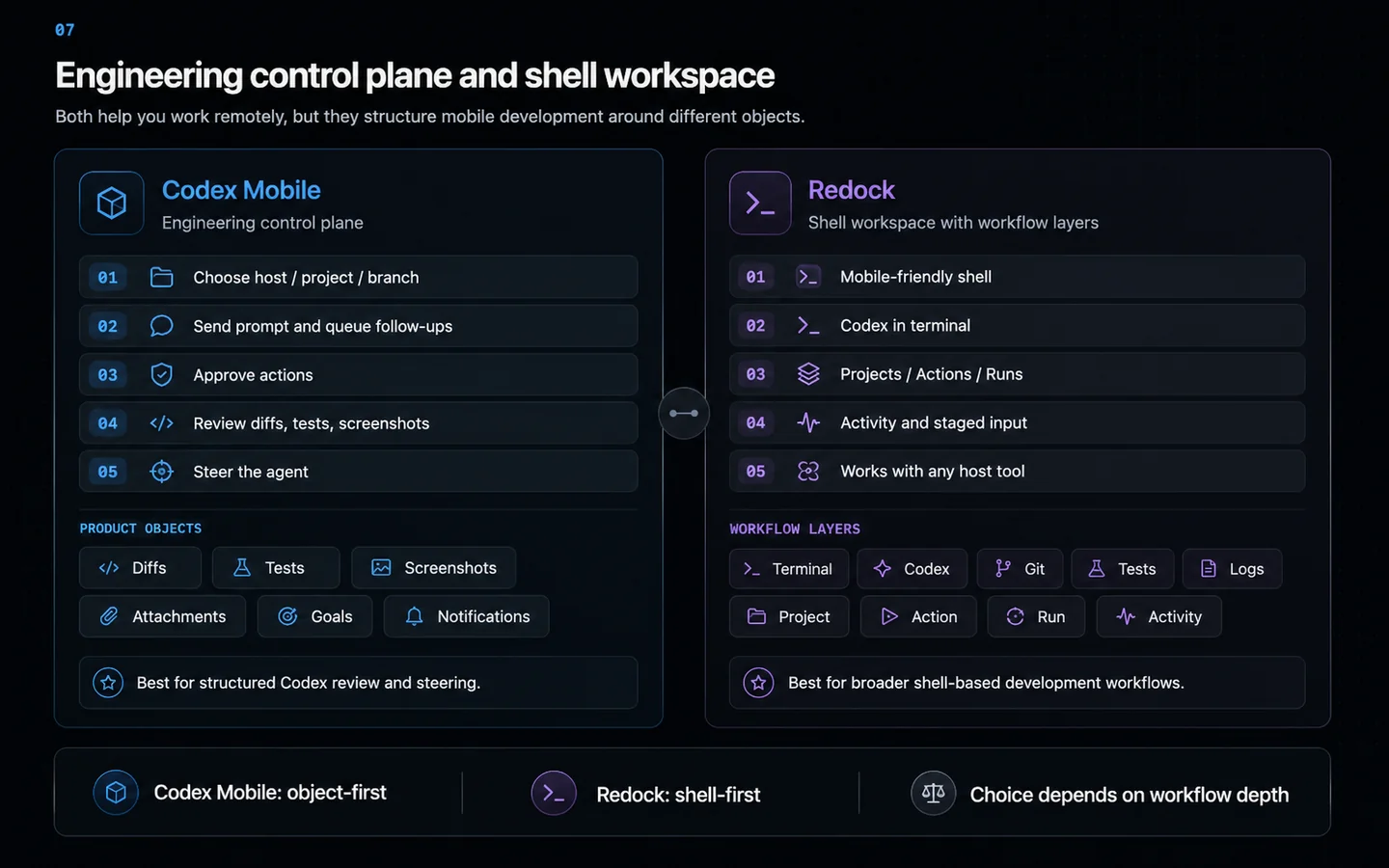
Codex Mobile is an engineering control plane, not a tiny terminal
OpenAI’s Remote interface is organized around decisions that unblock an agent. You choose a host, project, branch or worktree, send a prompt, queue or steer follow-ups, approve actions, and review what changed.
Diffs, test results, screenshots, attachments, skills, plugins, goals, side chats, and notifications can be represented as product objects instead of text inside terminal scrollback.
Redock makes the shell comfortable for mobile and then adds Projects, Actions, Runs, Activity, and staged input. It is less specialized for Codex review, but remains available to every program on the host.
08
Both use the host, but they inherit different context
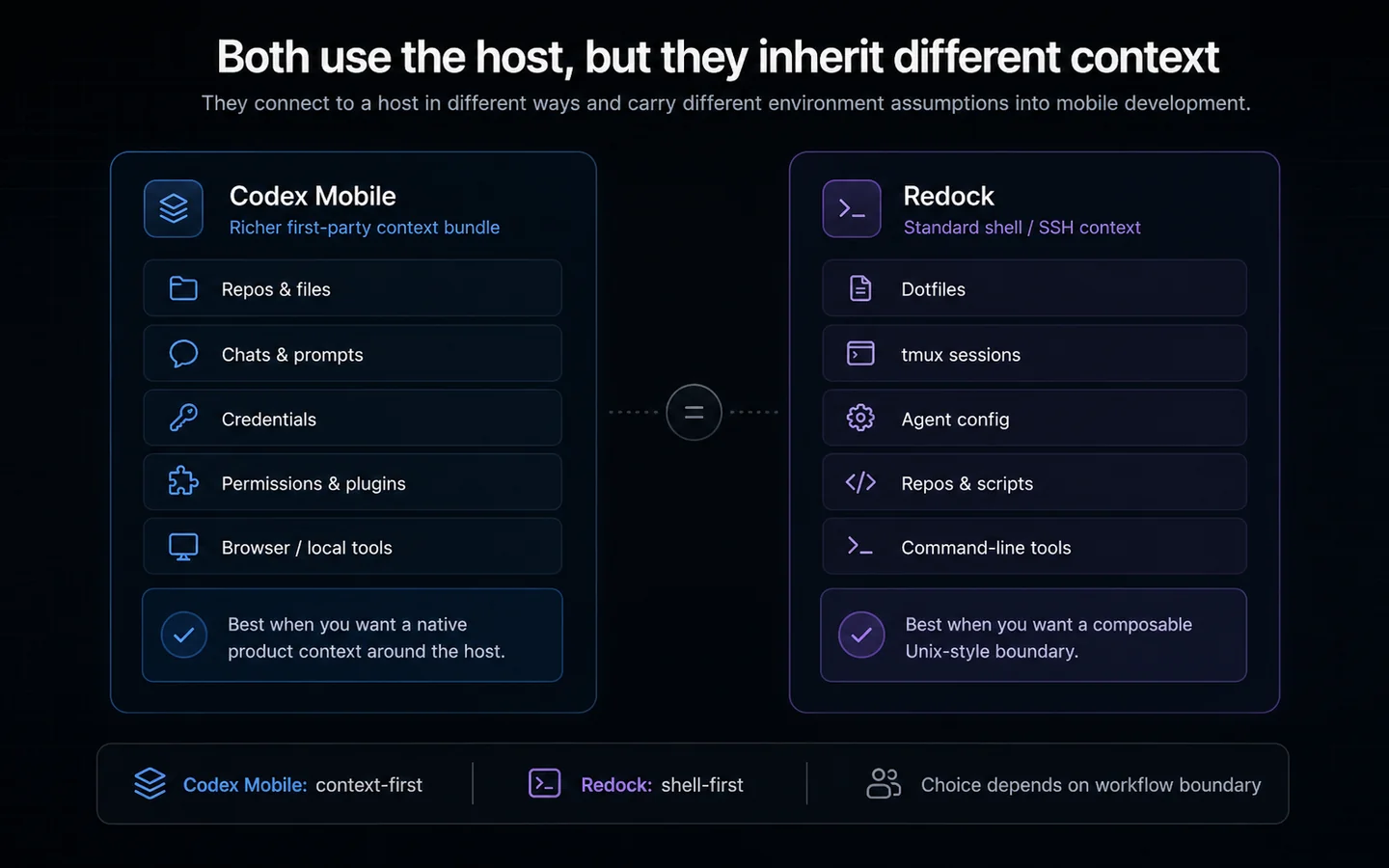
Codex Remote uses the connected host’s repositories, chats, files, credentials, permissions, plugins, browser setup, Computer Use, and local tools. The host continues enforcing its sandbox and security controls.
Redock inherits what a normal SSH or Mosh shell can access under the connected account. Dotfiles, agent configuration, tmux sessions, repositories, scripts, and command-line tools remain available.
Codex Mobile carries a richer first-party context bundle. Redock carries a more standard and composable Unix boundary.
09
Native review and Steer are Codex Mobile’s strongest advantages
Remote distinguishes Queue, which waits for the current response to finish, from Steer, which redirects work already in progress. That explicit choice helps prevent an ordinary follow-up from accidentally changing an active implementation.
Inline diffs, test output, screenshots, and approvals reduce the amount of terminal parsing required before making a decision.
Redock can send input to Codex and inspect terminal results, but its advantage is that the same input, interruption, and resume model also works with Claude Code, OpenCode, a test runner, or a deployment command.
10
Agent orchestration versus repeatable terminal outcomes
Codex Mobile can create isolated worktrees, use goals for longer work, and keep side chats from polluting the main task. These are strong abstractions for supervising complex agent work.
Redock Actions solve a smaller, deterministic problem. A Project can expose tests, builds, deployments, or logs as one-tap tasks, and Runs retain status and output even when no agent reasoning is required.
A goal describes an outcome for an agent, while an Action executes an exact workflow the developer already trusts.
11
Choose native depth or transport portability
Codex Remote pairs ChatGPT mobile with a host running the ChatGPT desktop app. The host must be awake, online, signed into the same account and workspace, and allowed by organization policy.
Redock reaches compatible SSH or Mosh servers, including Linux development boxes and hosts behind a user-managed private network. It does not need the ChatGPT desktop app, but the user manages secure reachability and keys.
Choose Codex Mobile when native Codex depth and review quality dominate. Choose Redock when the terminal itself, Linux environments, multiple agents, tmux interoperability, or exact Actions matter more.
12
Who should choose which?
Choose Redock if…
- You need a complete terminal and arbitrary interactive programs.
- You use more than one coding agent.
- You connect directly to Linux or standard SSH/Mosh hosts.
- You want tmux portability and exact developer Actions.
Choose Codex Mobile if…
- Codex is the center of your engineering workflow.
- Native diffs, tests, screenshots, approvals, and notifications matter.
- You use Codex goals, worktrees, side chats, skills, and plugins.
- You want to Queue or Steer an active turn explicitly.
13
The bottom line
Redock fits developers who want a terminal-grounded AI workflow with Projects, Actions, Runs, and tmux continuity. Codex Mobile fits developers whose daily work depends more on its documented strengths. The right choice is the one that removes more friction from the work you actually repeat.
14
Frequently asked questions
Is Codex a standalone selectable mode in ChatGPT mobile?
Current OpenAI documentation describes supported desktop Codex chats as available through the Remote area in ChatGPT mobile.
What can I review from Codex Mobile?
Official documentation lists outputs, diffs, test results, terminal output, screenshots, project context, approvals, plugins, and local tools from the host.
Does the connected computer need to stay on?
Yes. The ChatGPT desktop host must remain awake, online, signed in, and running the app.
Can Codex Mobile connect to Linux?
The mobile client pairs with a supported Mac or Windows desktop host. That app can connect to an SSH environment, while Redock can connect directly to Linux over SSH/Mosh.
Which is better for multiple agents?
Redock is the more direct fit because it can run any terminal-based agent installed on the host. Codex Mobile is optimized specifically for Codex.
Sources and further reading
Try the workflow
Keep the coding session moving from anywhere.
Connect your development machine, resume the agent, send the next task, and review the result from Redock.